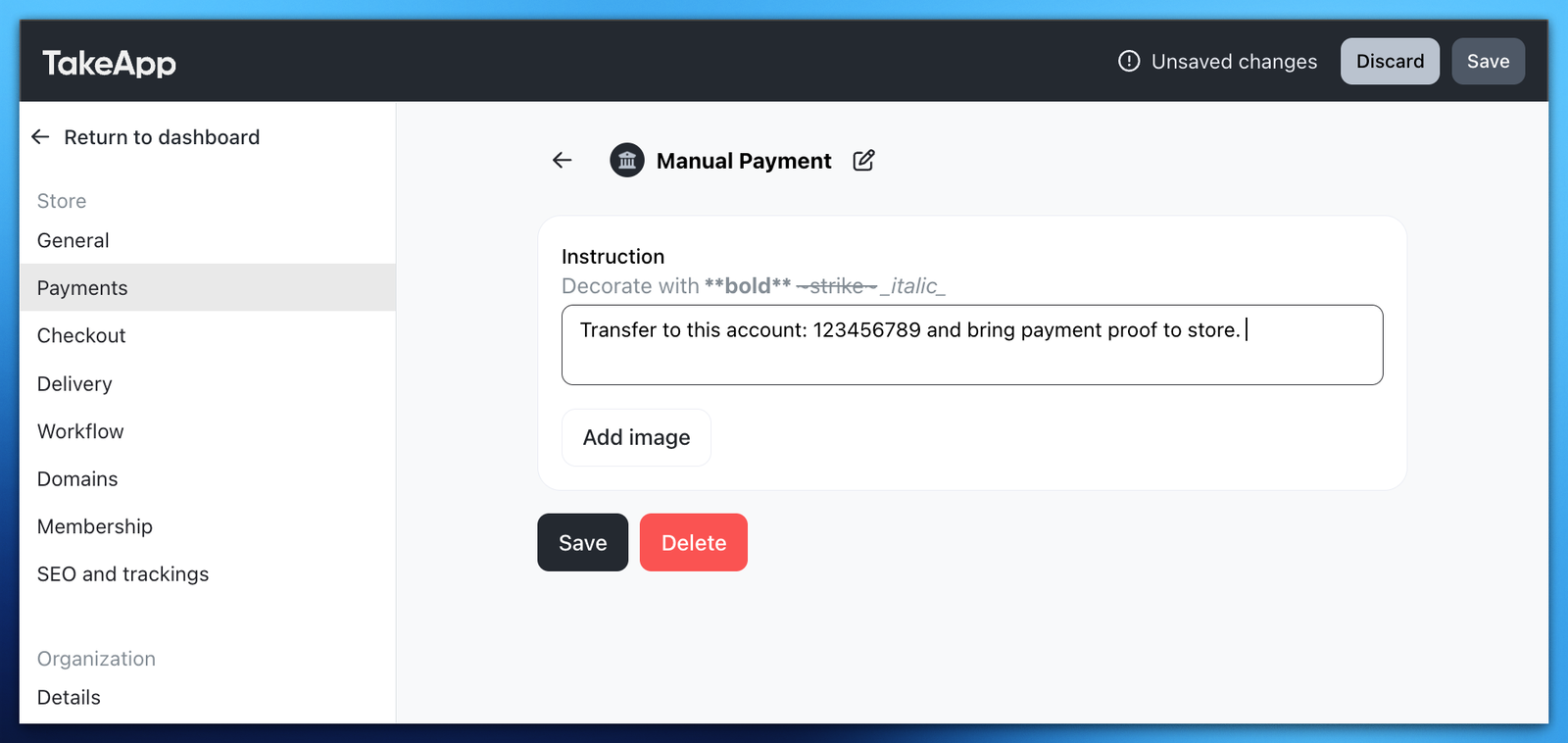
You can add bank transfers or other type of payment as a manual payment option, then verify the transaction manually using your banking application.
-
Go to Admin > Settings > Payments and browse to Manual payment methods section. Click
Add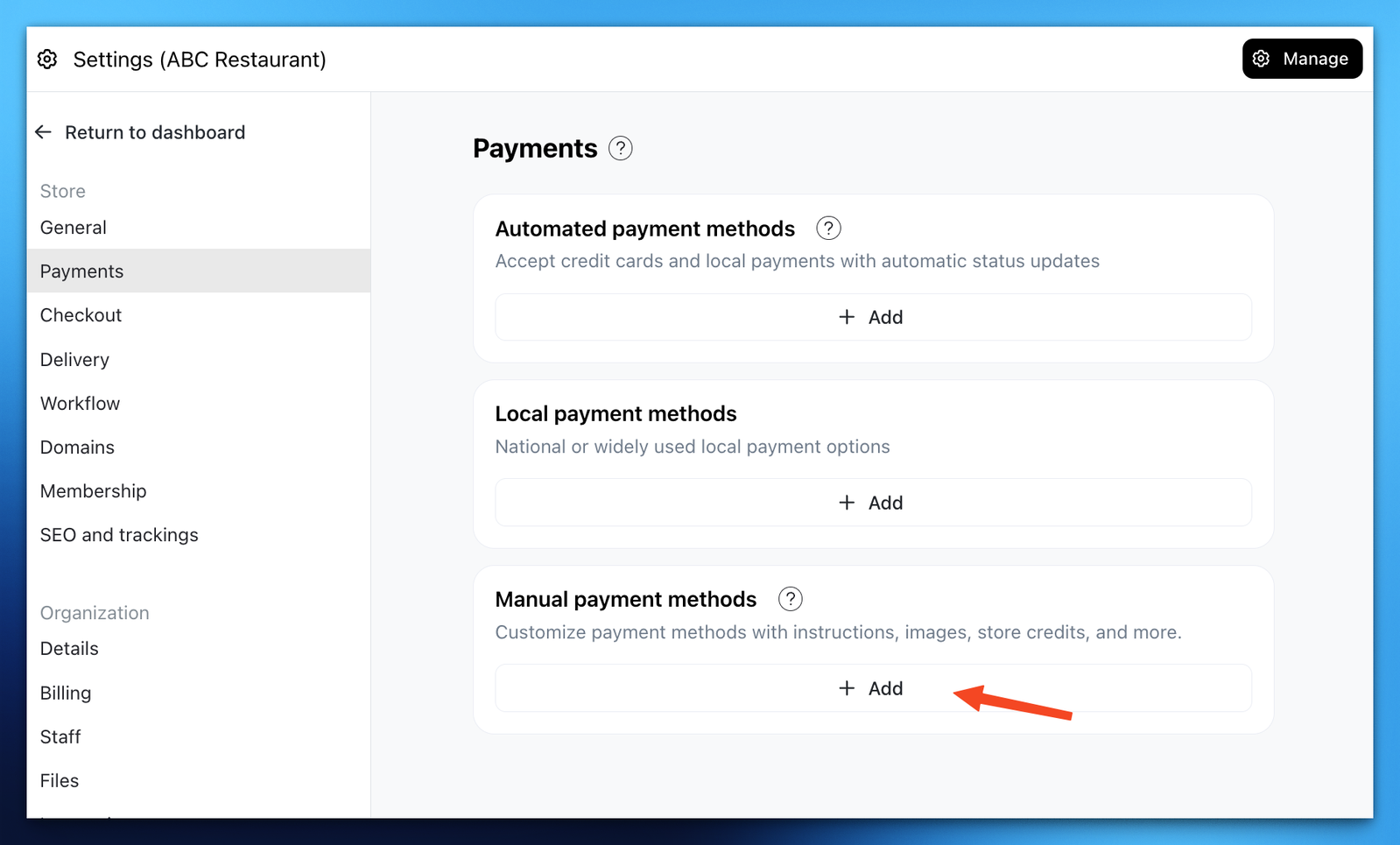
-
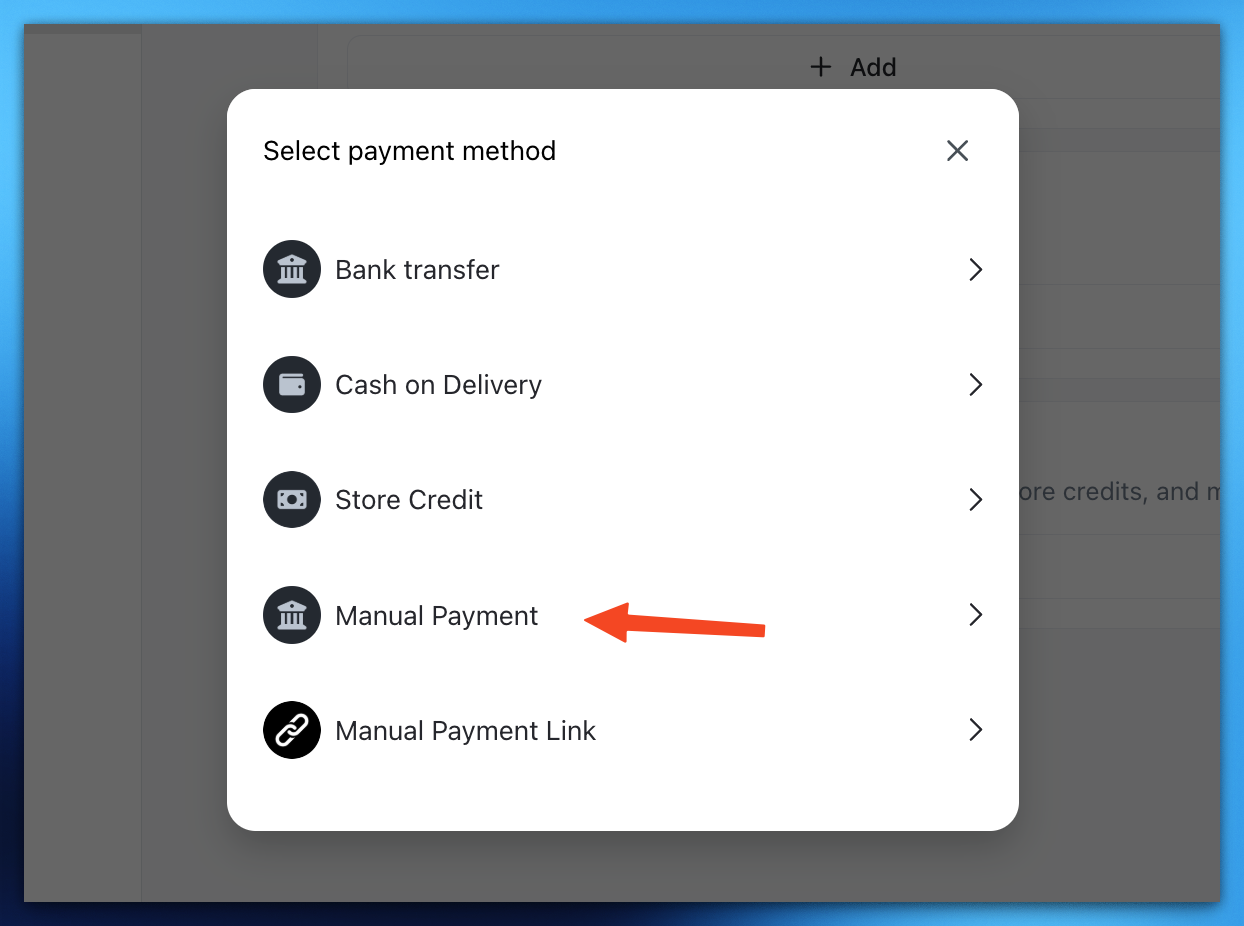
On "Select payment method" field choose Manual Payment
-
Input your "Payment method" name (e.g. Bank transfer) and type in the Instruction "e.g. Bank acc name and number). Click
save.