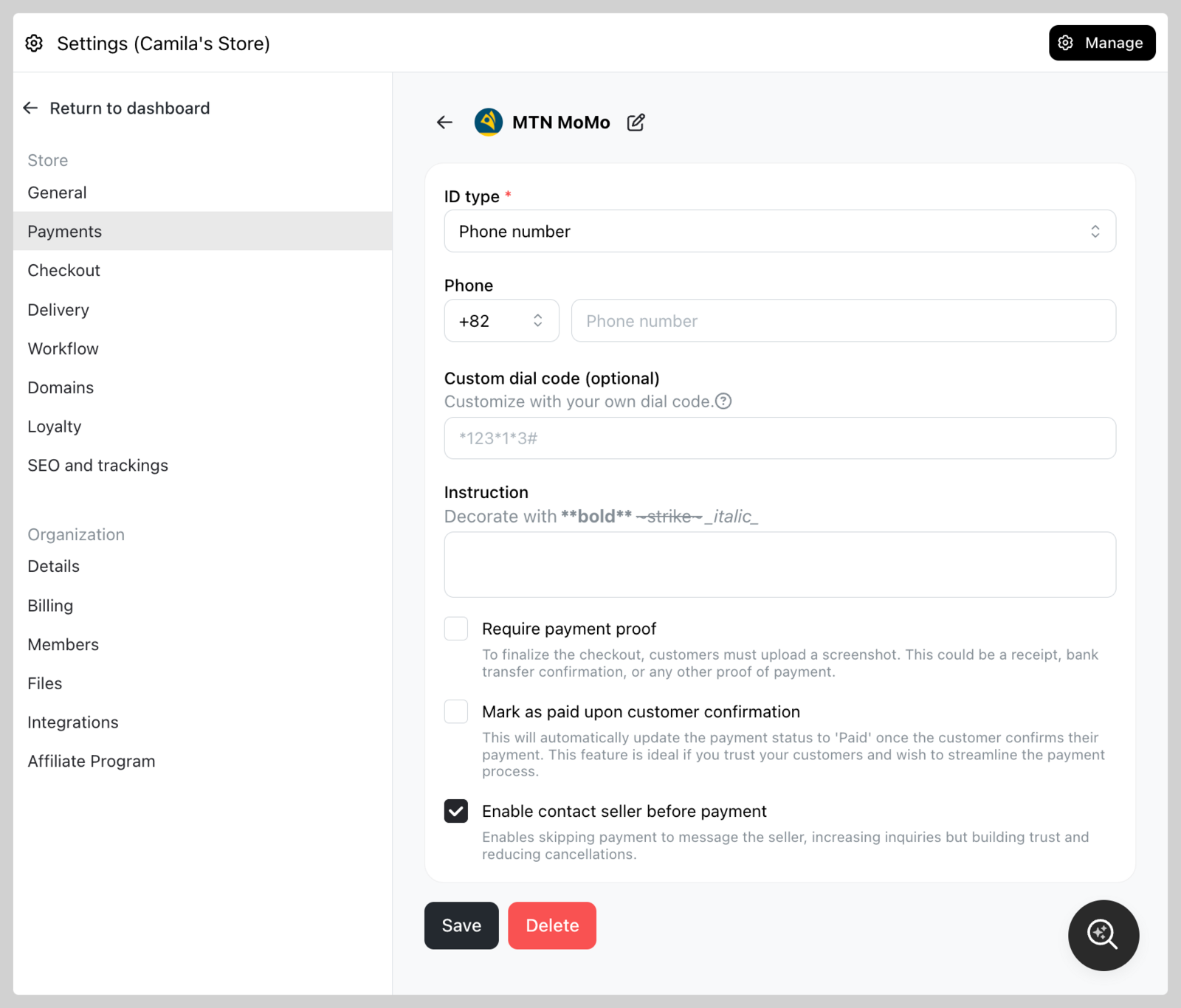
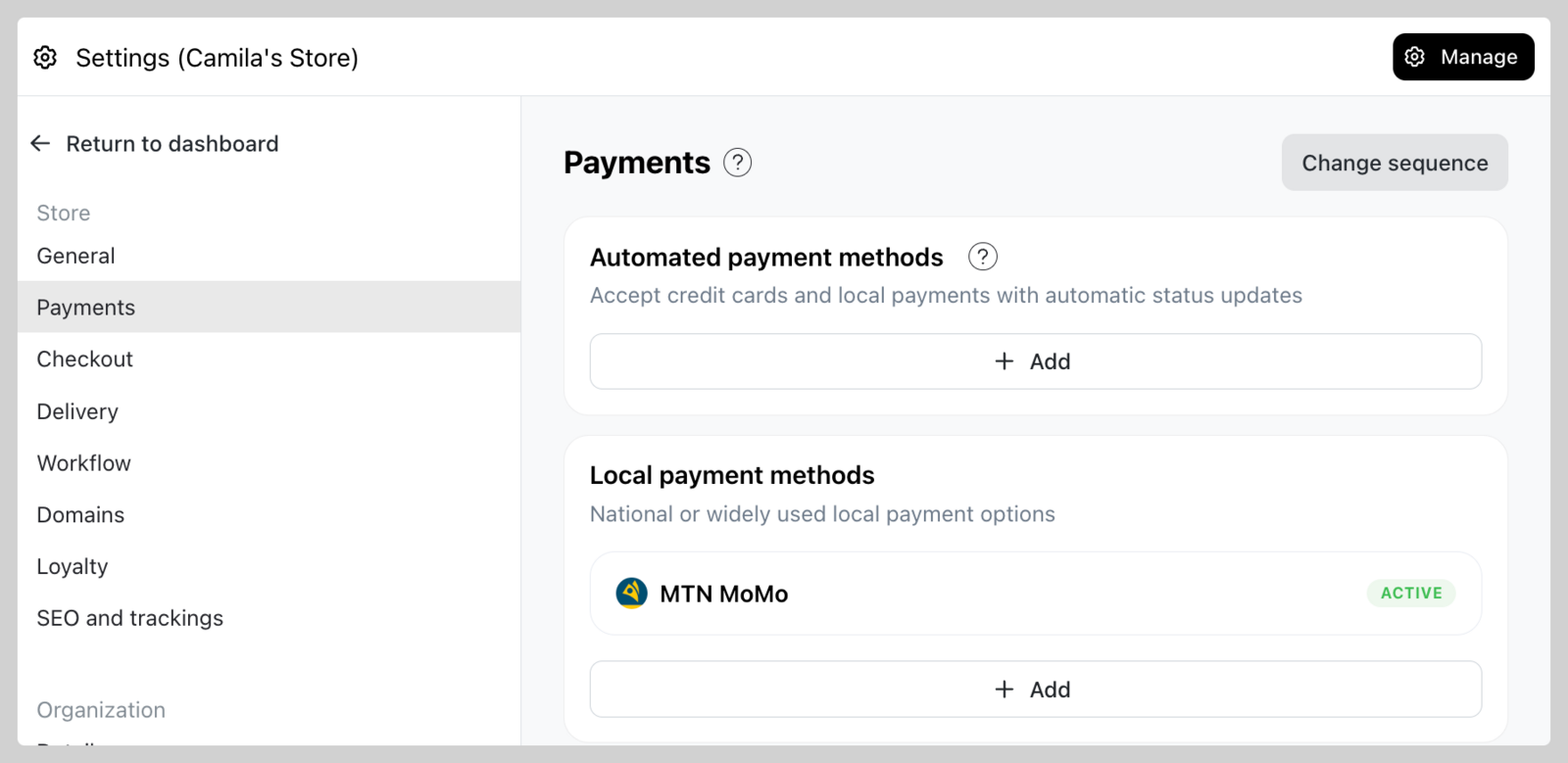
Local Payments
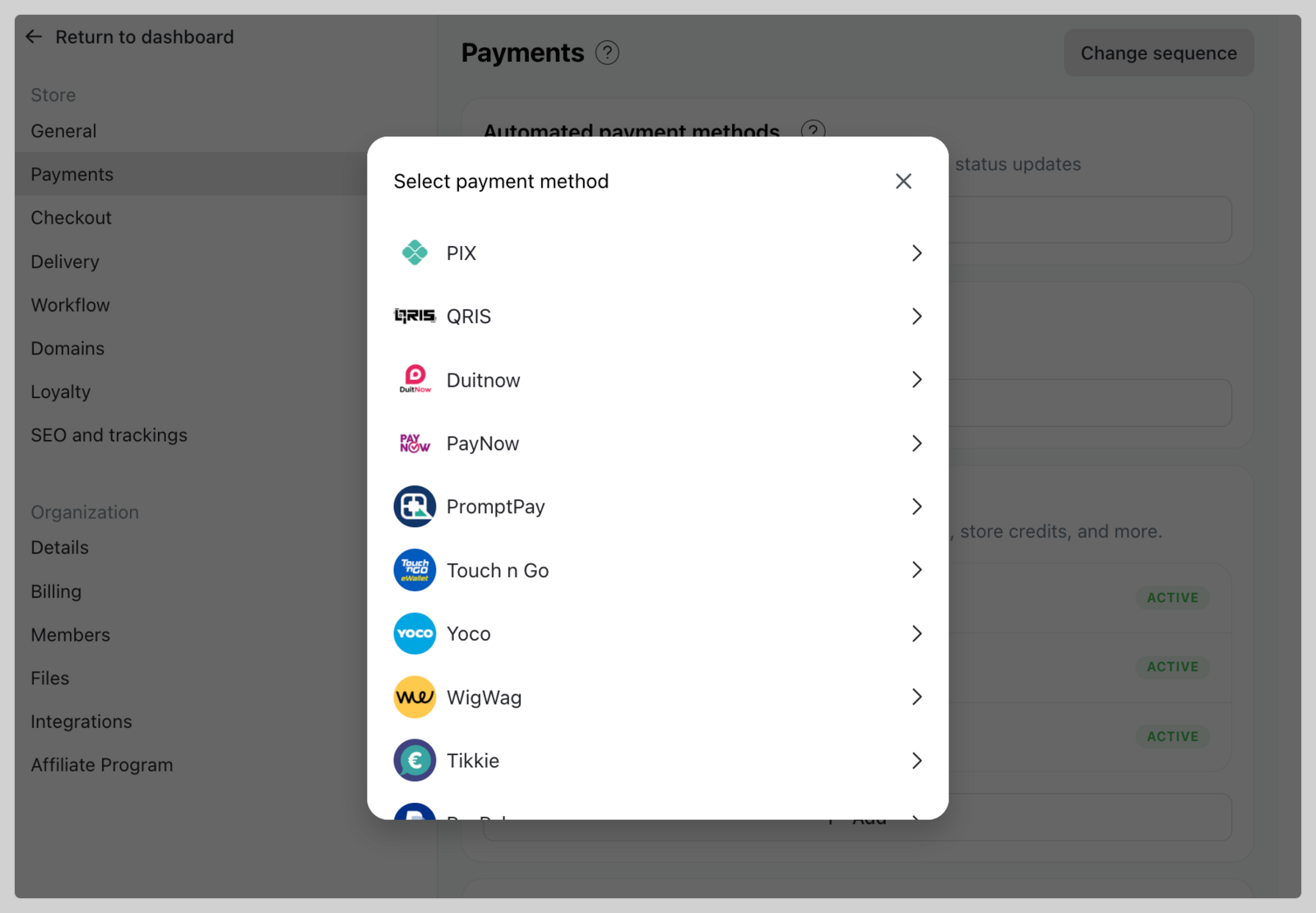
You can add local payment methods that allow you to accept payments through national or widely used local options (availability may vary depending on the payment provider). Examples include PayNow, Yoco, QRIS, and DuitNow and many others.
For the complete list of payment options by country, please visit this article.
Take App charges no processing fee on local payments — no percentage, no per-transaction charge. The customer pays into your own account or wallet, so whether there's a fee at all is between you and your bank or provider.
How to add local payment method?
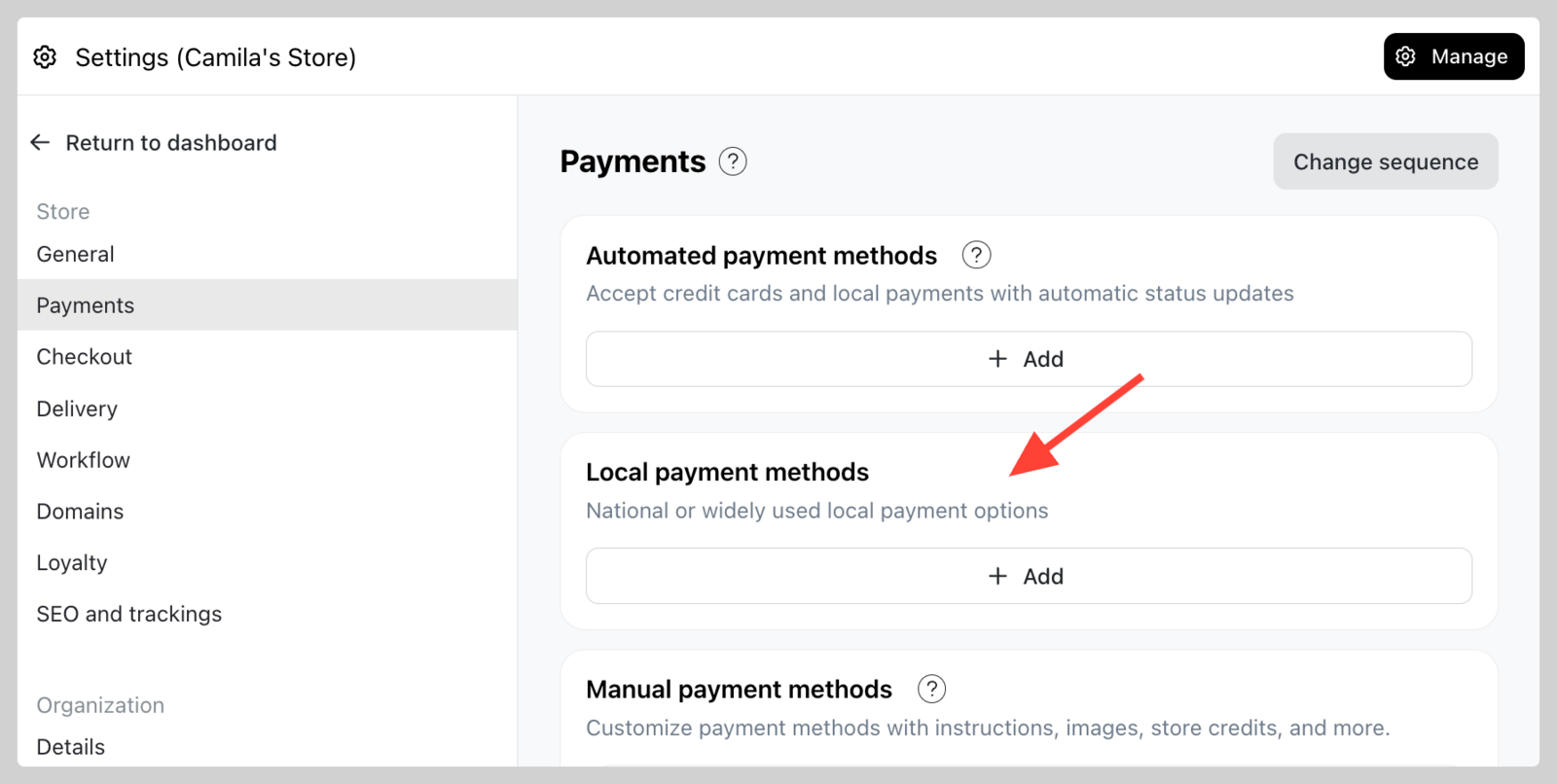
1. Go to Settings > Payments > Navigate to "Local payments methods" section then click Add
2. Select the a Payment Gateway that you want to add (check the availability on the list above)
3. Follow through the setup process based on each payment gateway (e.g. MTN MoMo)