Take App

Download orders as PDF files

You can download your orders to PDF in bulk

How to download orders as PDF

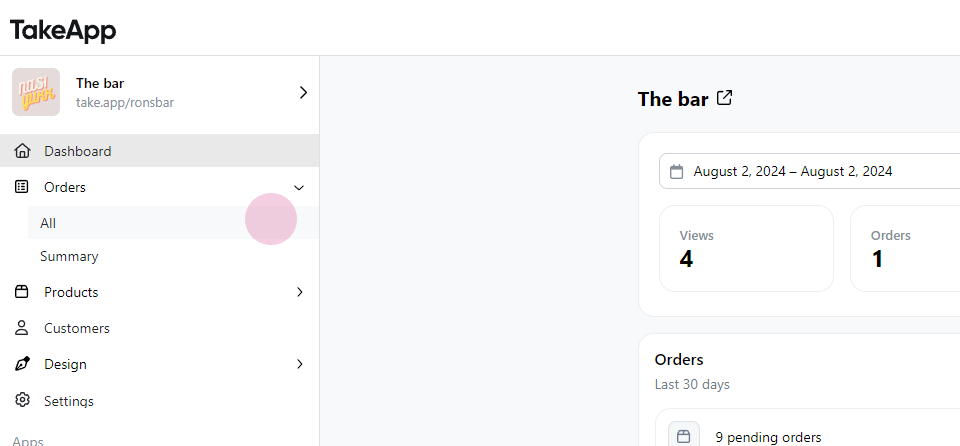
Step 1: Navigate to Order
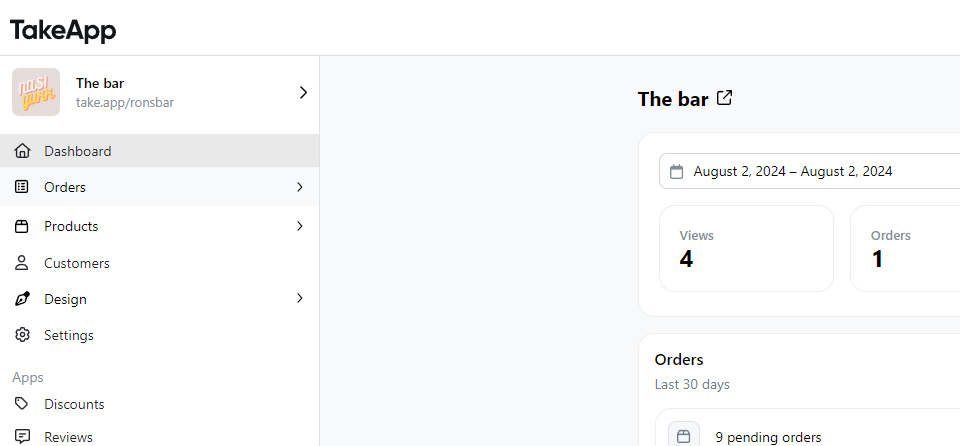
Download orders as PDF files

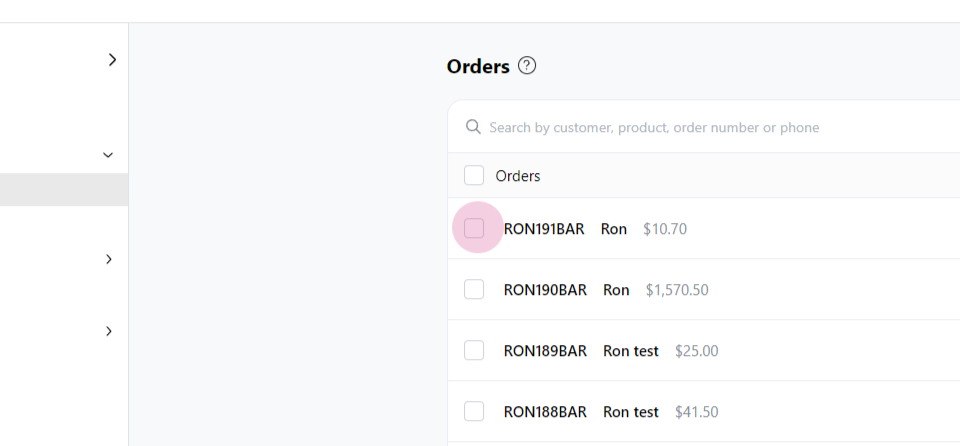
Step 2: Select All

Download orders as PDF files

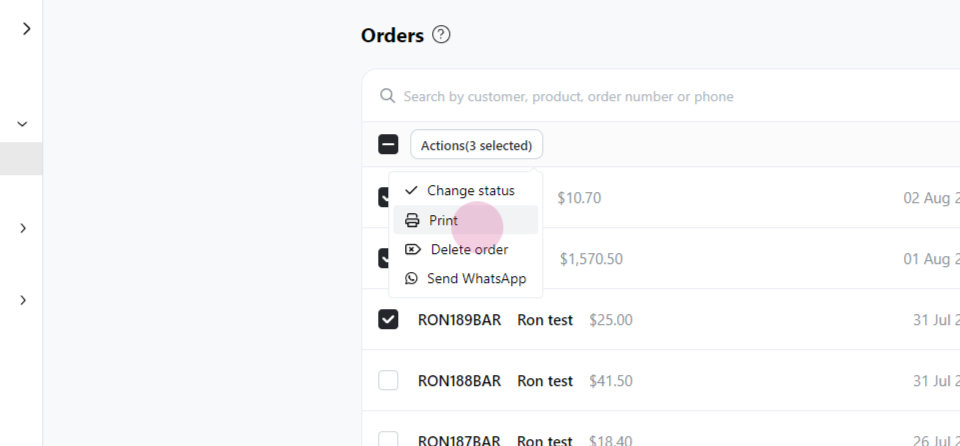
Step 4: Click on Action

Download orders as PDF files

Step 5: Choose Print

Download orders as PDF files

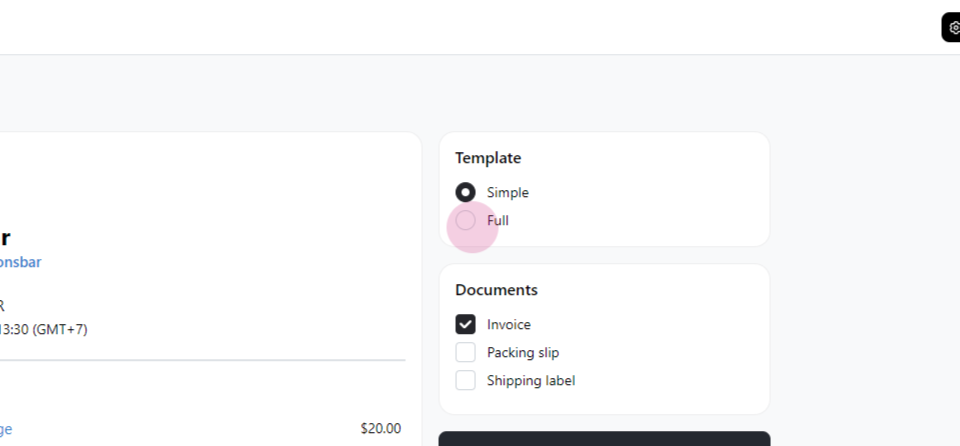
Step 6: Select the template

Download orders as PDF files

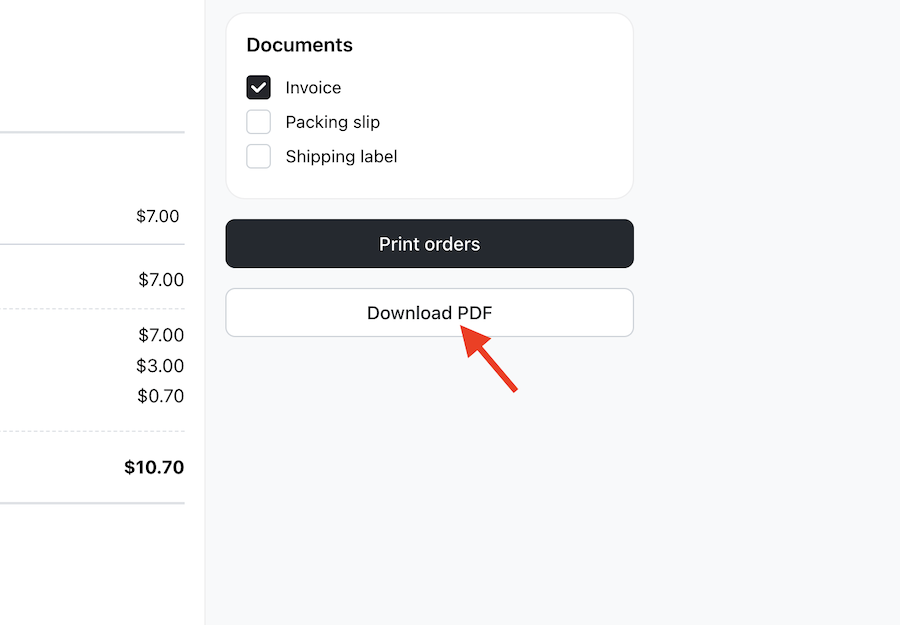
Step 7: Click on Download PDF

Download orders as PDF files

Step 8: Finally, click the download icon to save the PDF
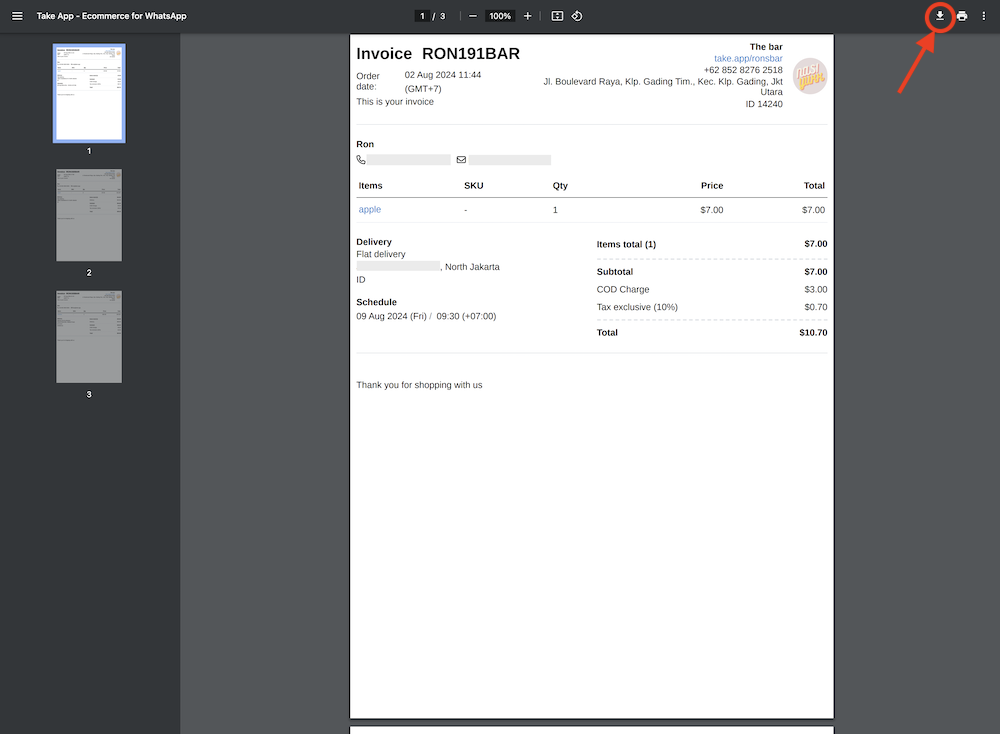
Download orders as PDF files

송장의 다른 문서

송장

더 도움이 필요하신가요?

질문을 남기시면 바로 답변해 드립니다. 팀과 대화하셔도 됩니다.