Important: Please terminate your plan before deleting your store. Deleting your store will not automatically downgrade your plan. Learn how to Downgrade
How to delete store
-
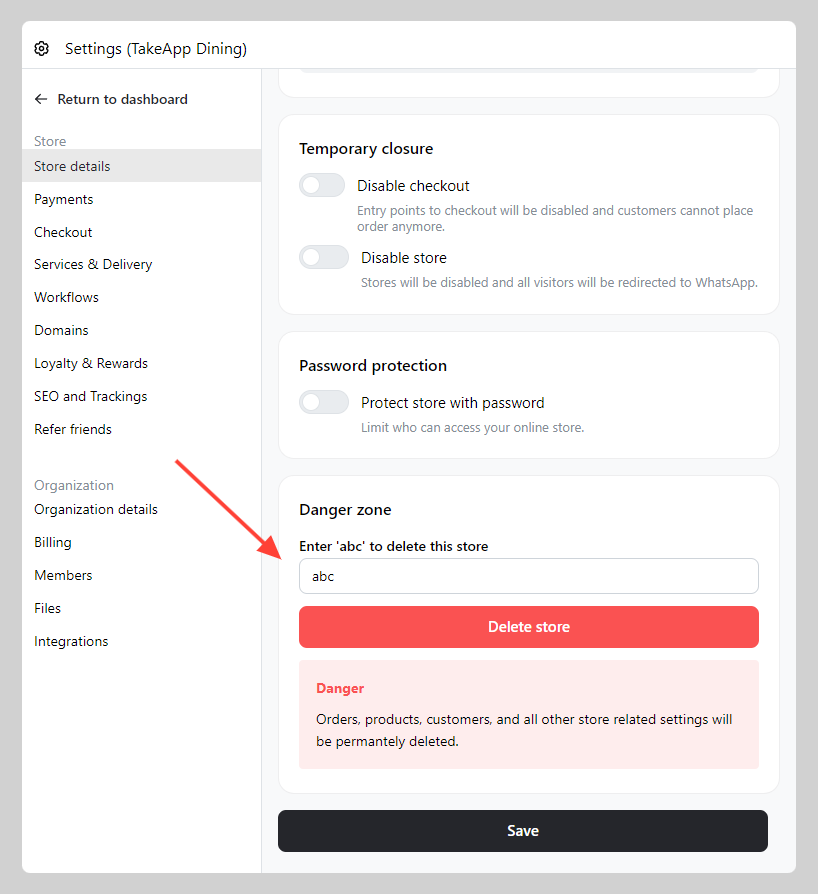
Go to Admin > Settings > Store detail > Scroll to the bottom of the page and find the danger zone
-
Type the instructed keyword and click
Delete store