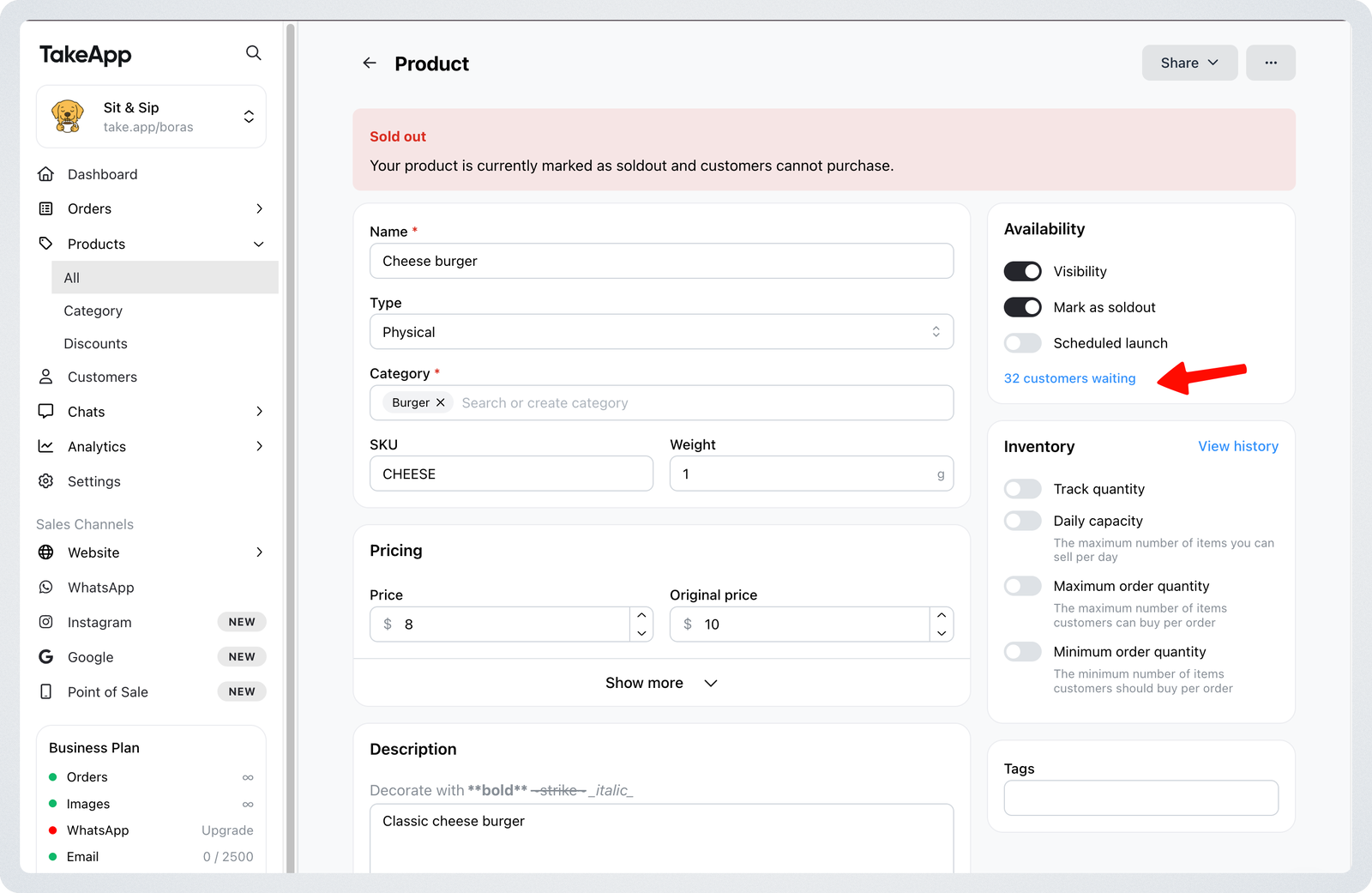
Back-in-Stock feature lets your customers know as soon as an item is available again. When a product is sold out, customers can subscribe to receive an alert directly from the product page. Once the item is restocked, they’ll automatically receive a WhatsApp message.
How customers can subscribe
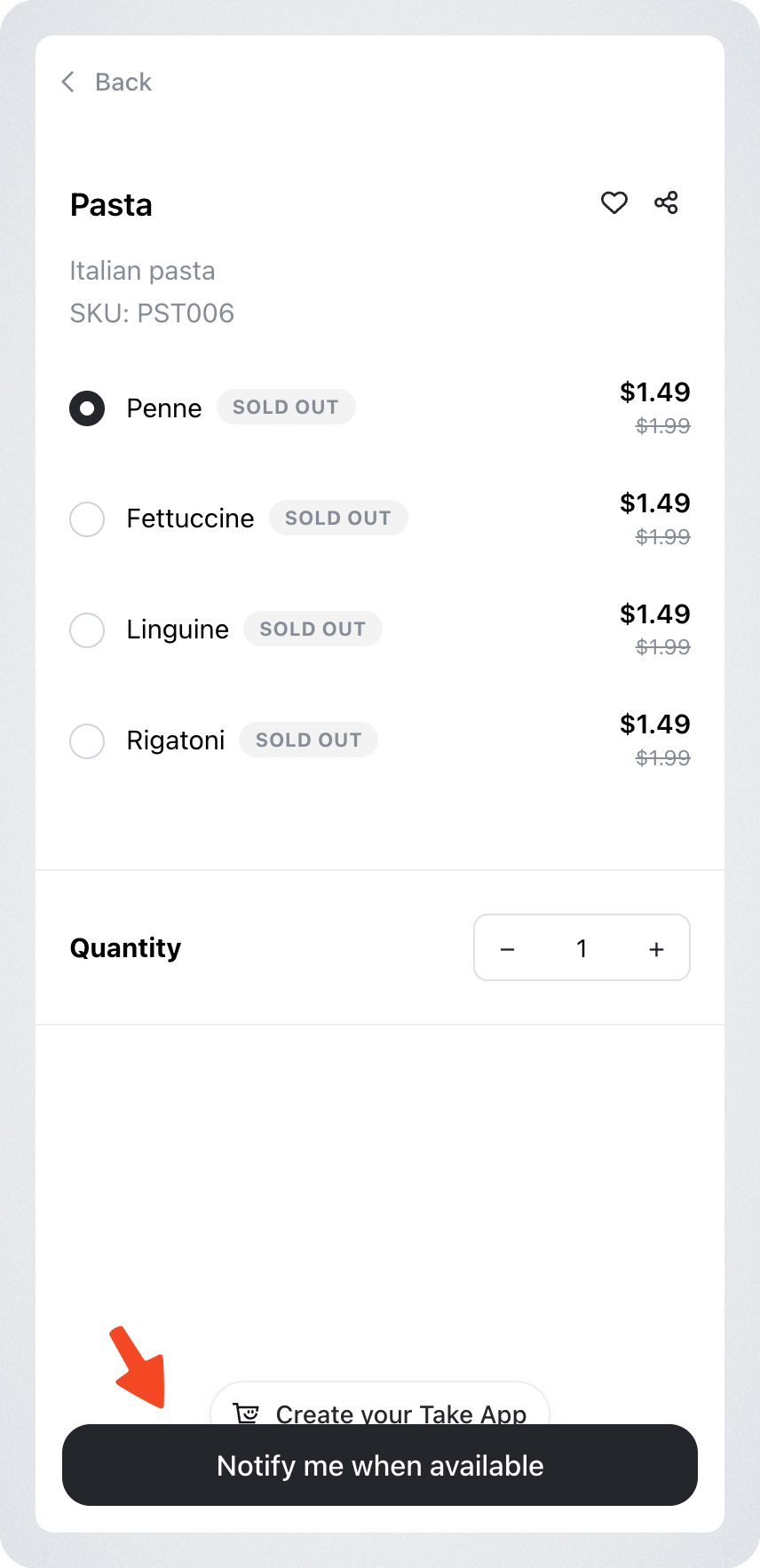
- Customers must be logged in to subscribe.
- When a product is sold out, a “Notify me when available” button will appear on the product page.
- Only one notification per product or variant can be created.
When notifications are sent
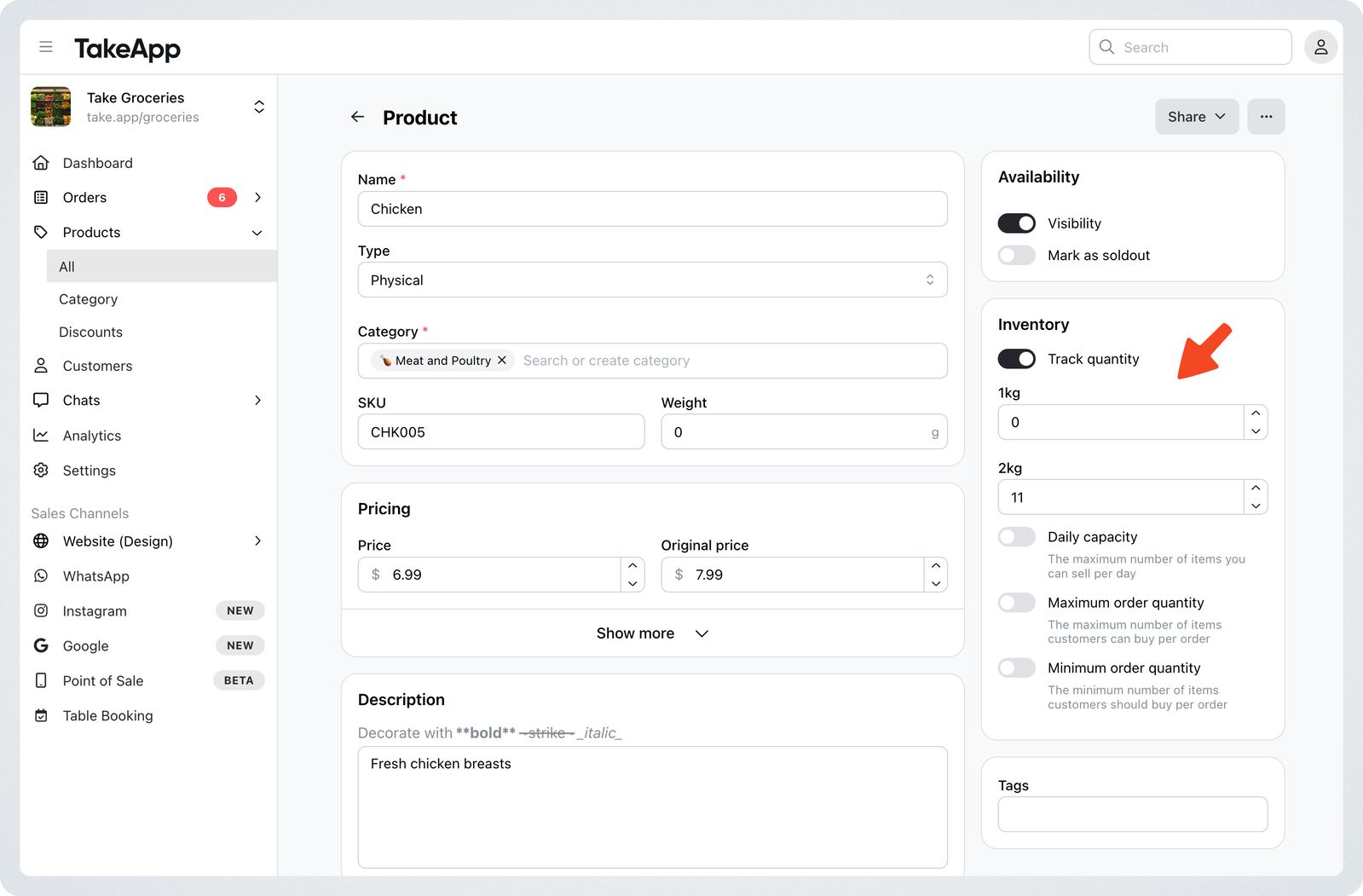
A restock notification will be sent when the following conditions are met:
- Sold-out toggle is OFF, and
- Meet one of the below conditions:
- Inventory tracking is ON and stock becomes greater than 0
- Inventory tracking is OFF
For products with variants
Inventory is tracked individually for each variant.
- Only customers who subscribed to that specific variant receive the alert
- If multiple variants are restocked at once, notifications are sent per variant
Where the change has to be made
Any change you make that puts the item back on sale sends the alert:
- Turning the sold-out switch off, on the product page or in the products list
- Editing the quantity in the Inventory column of the products list
- Saving a new quantity on the product page
The alert is sent in the background, so you can leave the page straight after saving.
Restocks caused by order cancellations or refunds will not trigger a notification.
When notifications are not sent
- Stock increases due to order cancellation or refund
- Restock conditions have not been met
Important Notes
- Product visibility does not affect notification delivery. Even if a product is hidden, customers may still receive a restock alert if its stock is updated.
- If a product is deleted, all related notifications are also removed.
What message will customers receive?
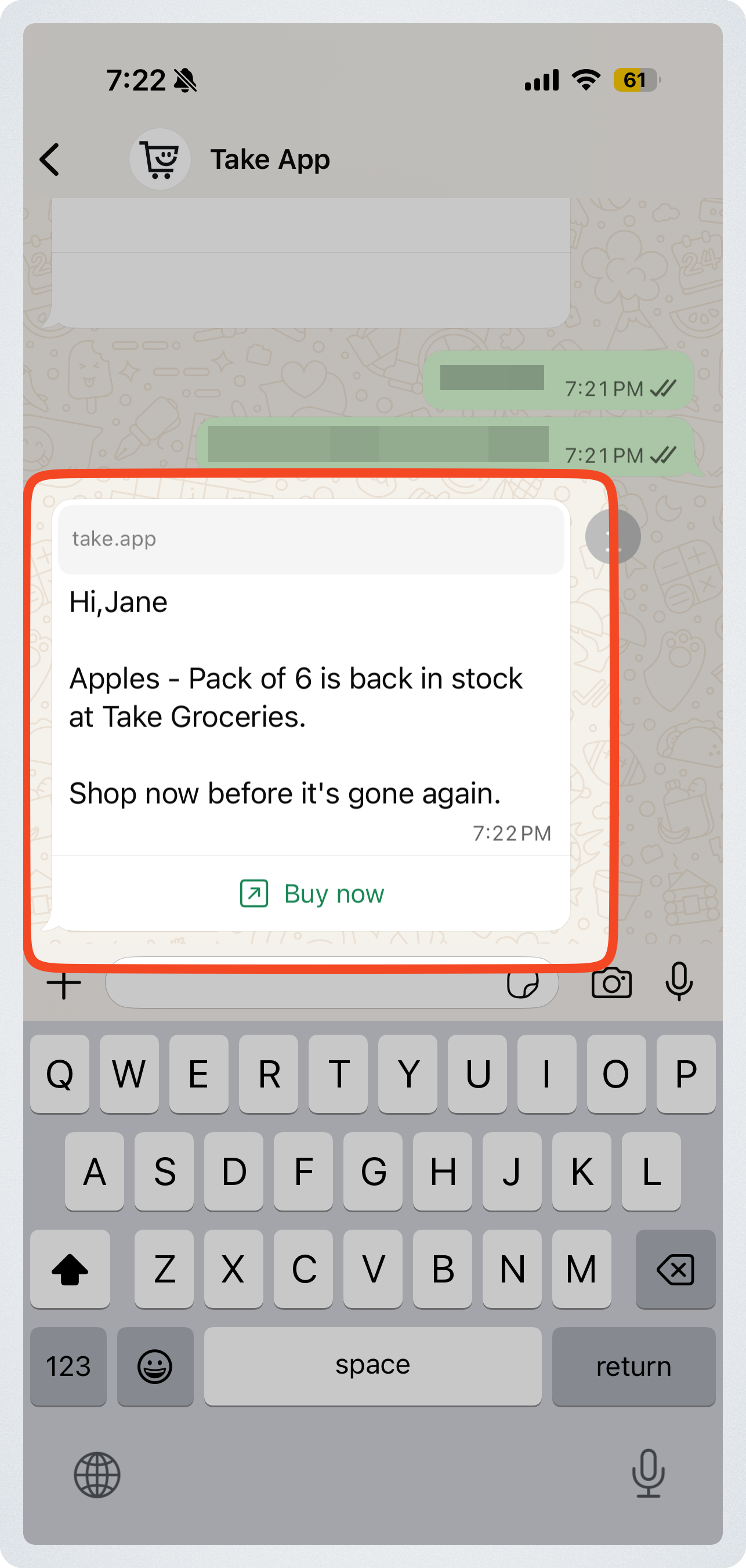
When a product is restocked, customers who subscribed will receive a WhatsApp message with a "Buy Now" button that redirects to that product page.
View customers waiting for a restock
Merchants can now see which customers requested a restock alert, making it easier to follow up or plan inventory.
- Path: Admin → Product → Availability → Customer waiting
- The list is automatically filtered to show only customers who requested a Back in Stock alert for that product.