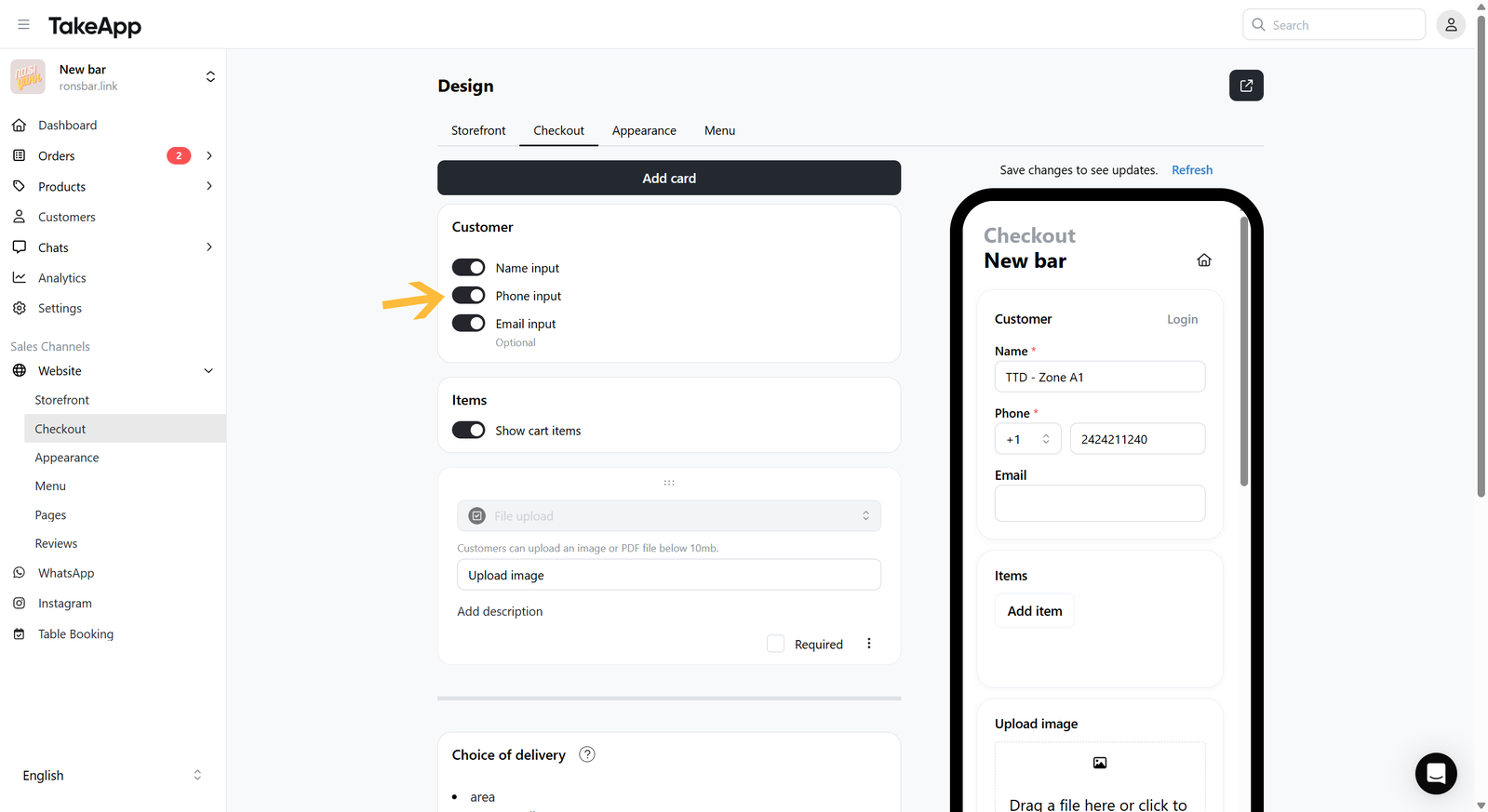
You can choose to Activate or de-activate name, phone, and email input (partial de-activation is allowed)
How to toggle on/off customer data input
-
Go to Admin > Website > Checkout
-
Navigate to the "Customers" section and toggle on/off the customer detail input that you wish to show or hide