Take App

Upload images or files for buyer

Perlu paket Business Bandingkan paket

File upload cards let your buyer to upload image or file. This will be useful if you need to get some data from your buyer such as design image, or document file.
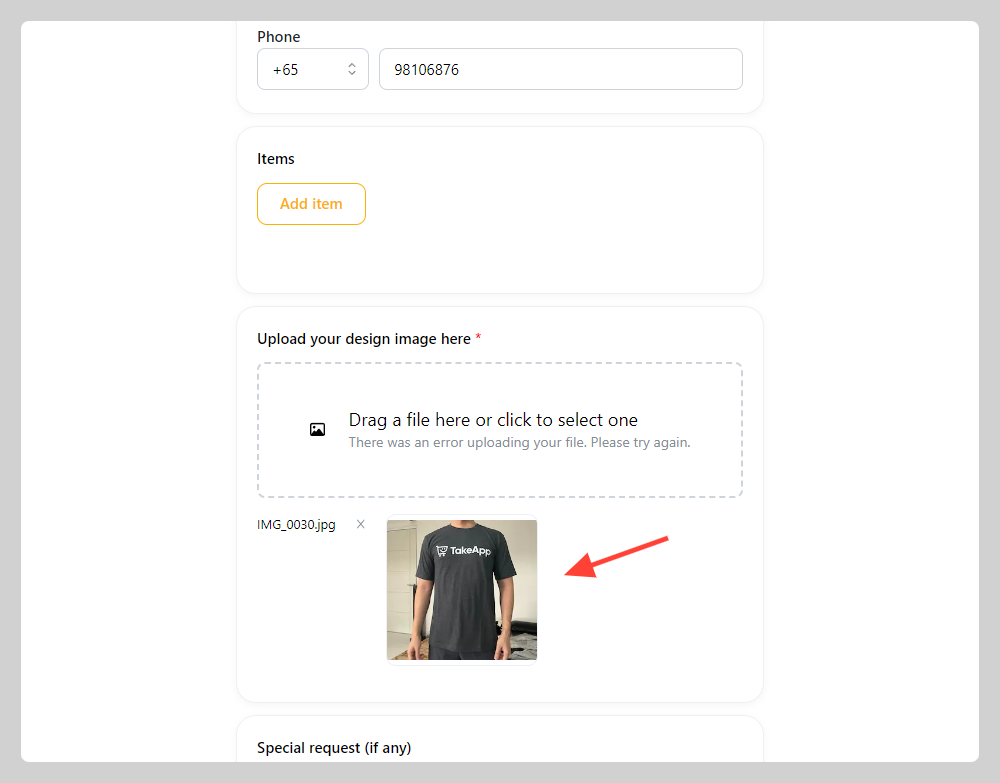
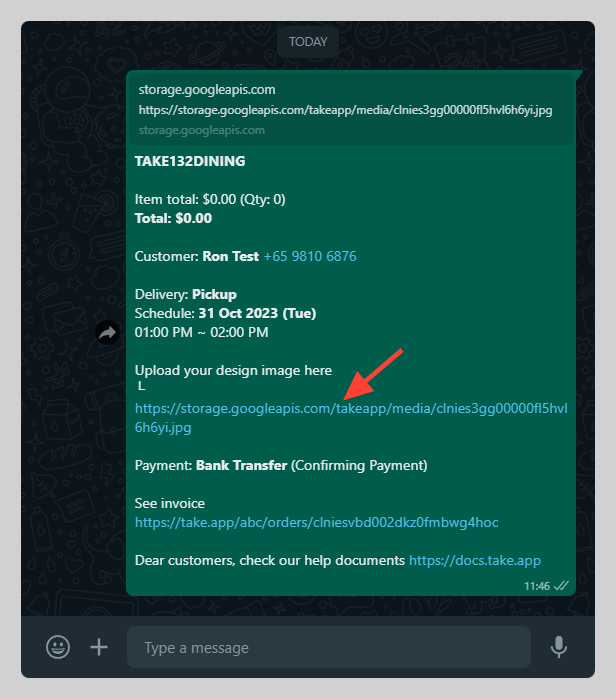
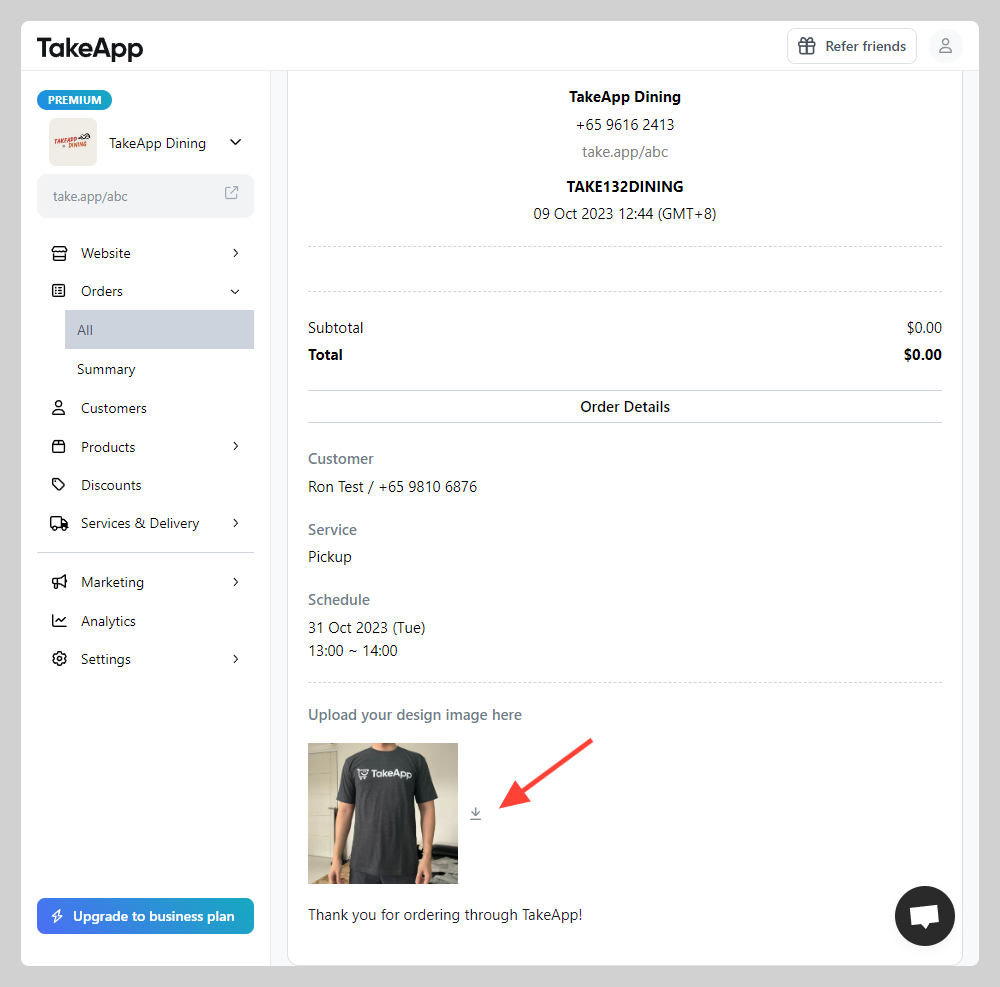
Upload image field on checkout form Image/file upload link on order message Download file/image from order menu

How to set File upload card on checkout form

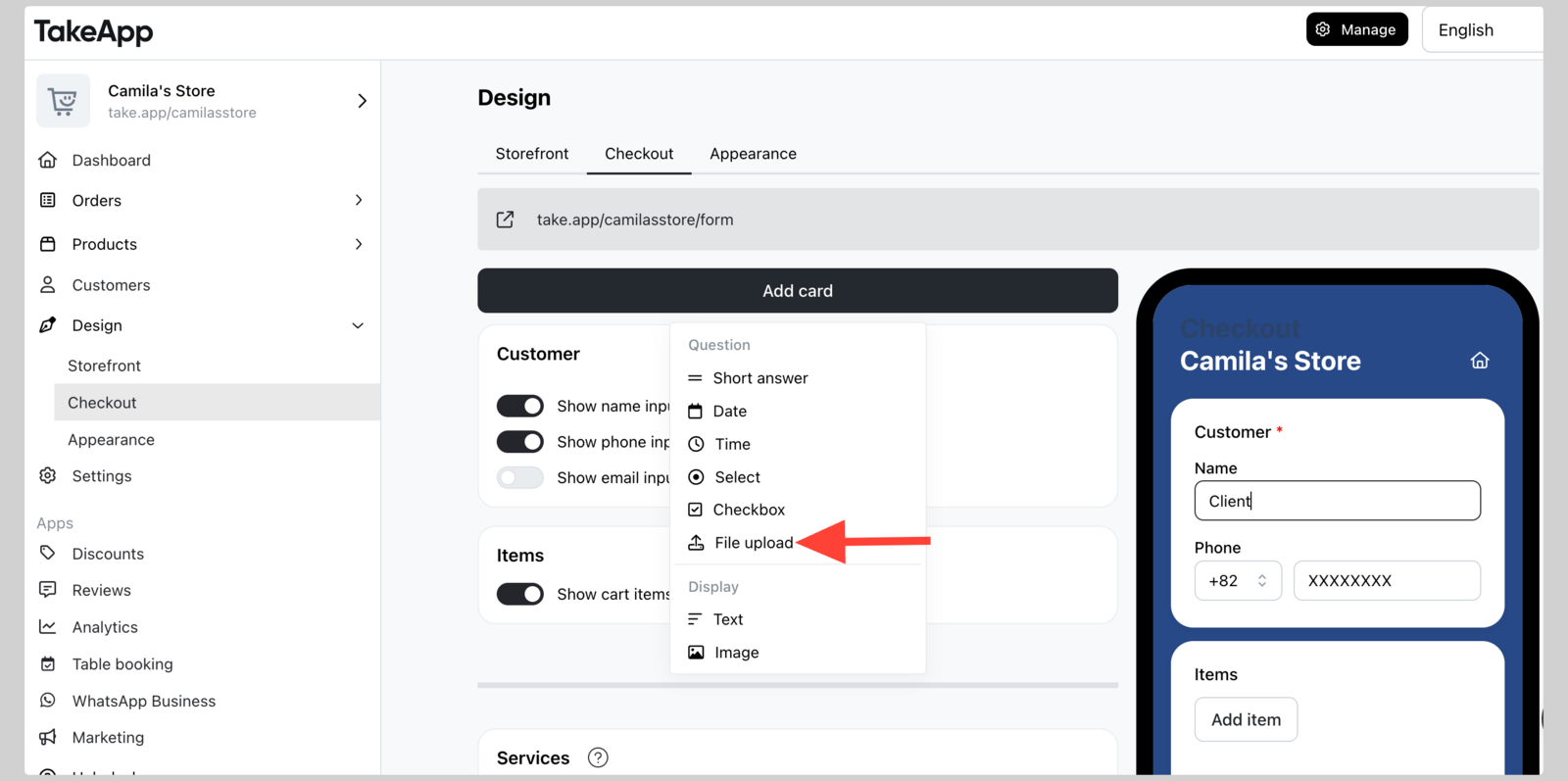
  1. Go to Admin > Design > Checkout and click Add cards. Choose File upload.

    Upload images or files for buyer
  2. Type your file upload instruction on the Question field
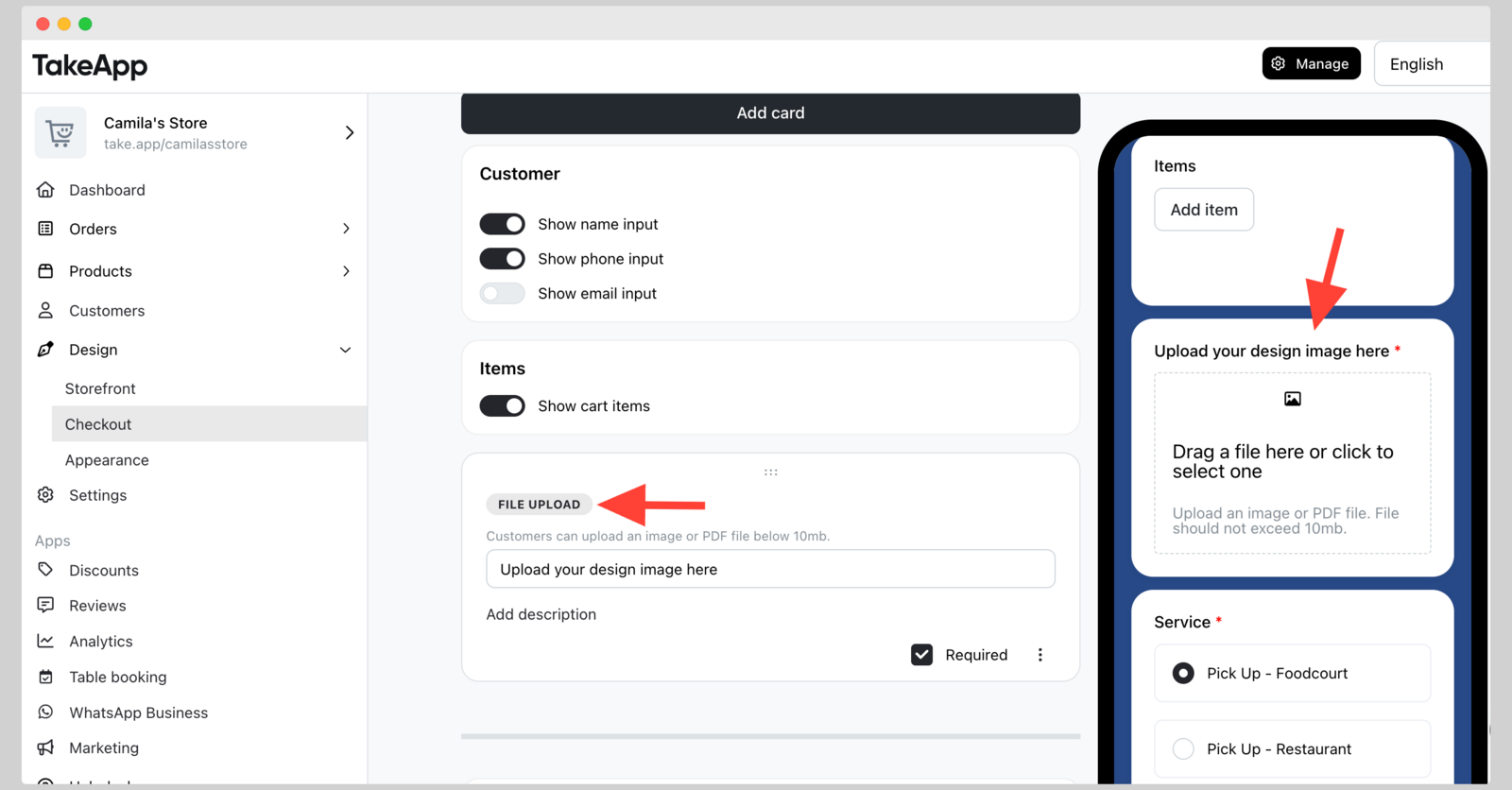
    Upload images or files for buyer

You do not need to press Save in for this changes because it will be auto-saved.

Lainnya di Halaman checkout

Halaman checkout โ†’

Masih perlu bantuan?

Ajukan pertanyaan dan dapatkan jawabannya seketika, atau chat dengan tim kami.