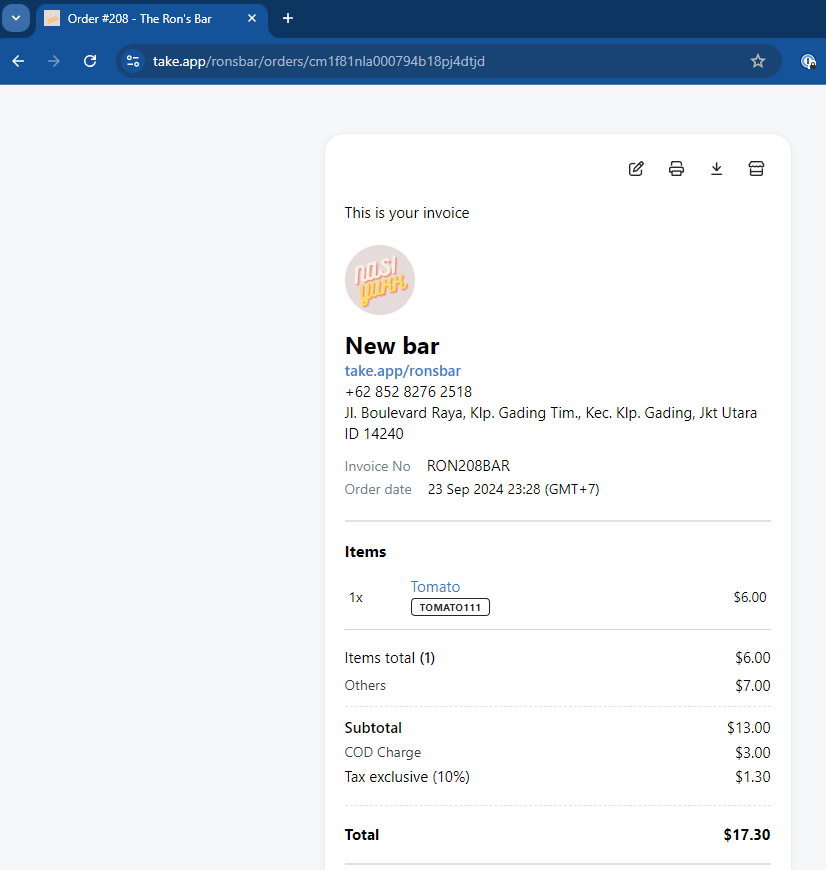
After order is created, you can share the invoice link to your client or staff to notify them (in case they do not see it).
How to share invoice link
-
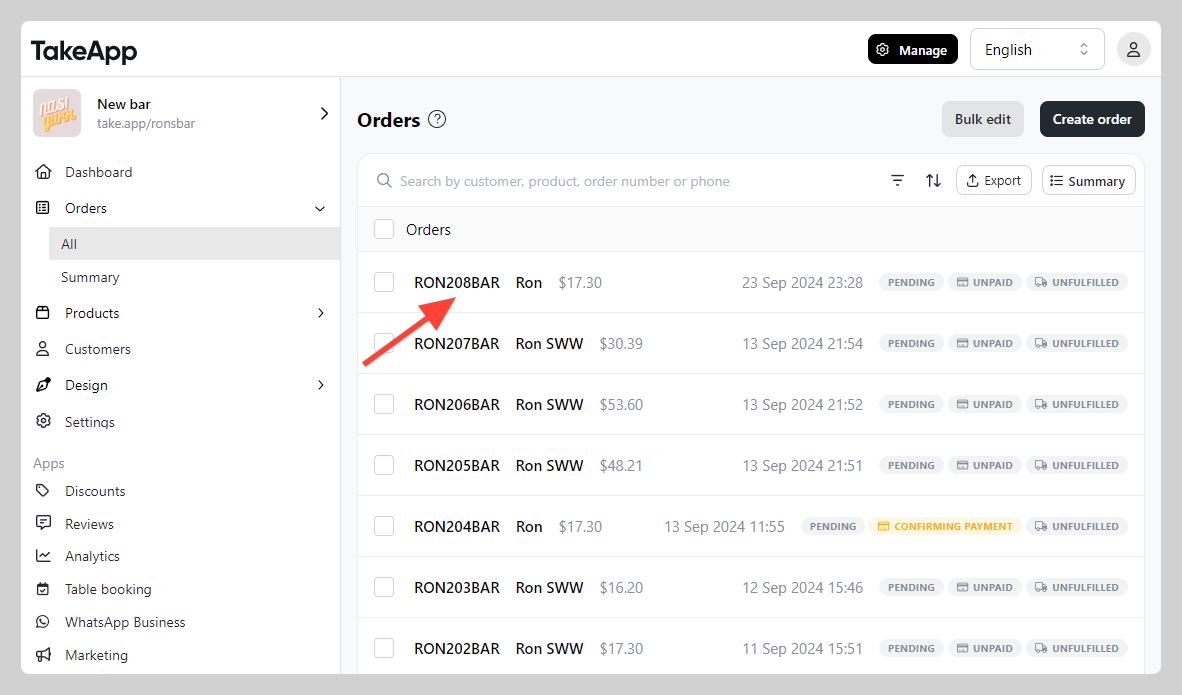
Go to Admin > Orders > All and click on the order that you want to share its invoice link.
-
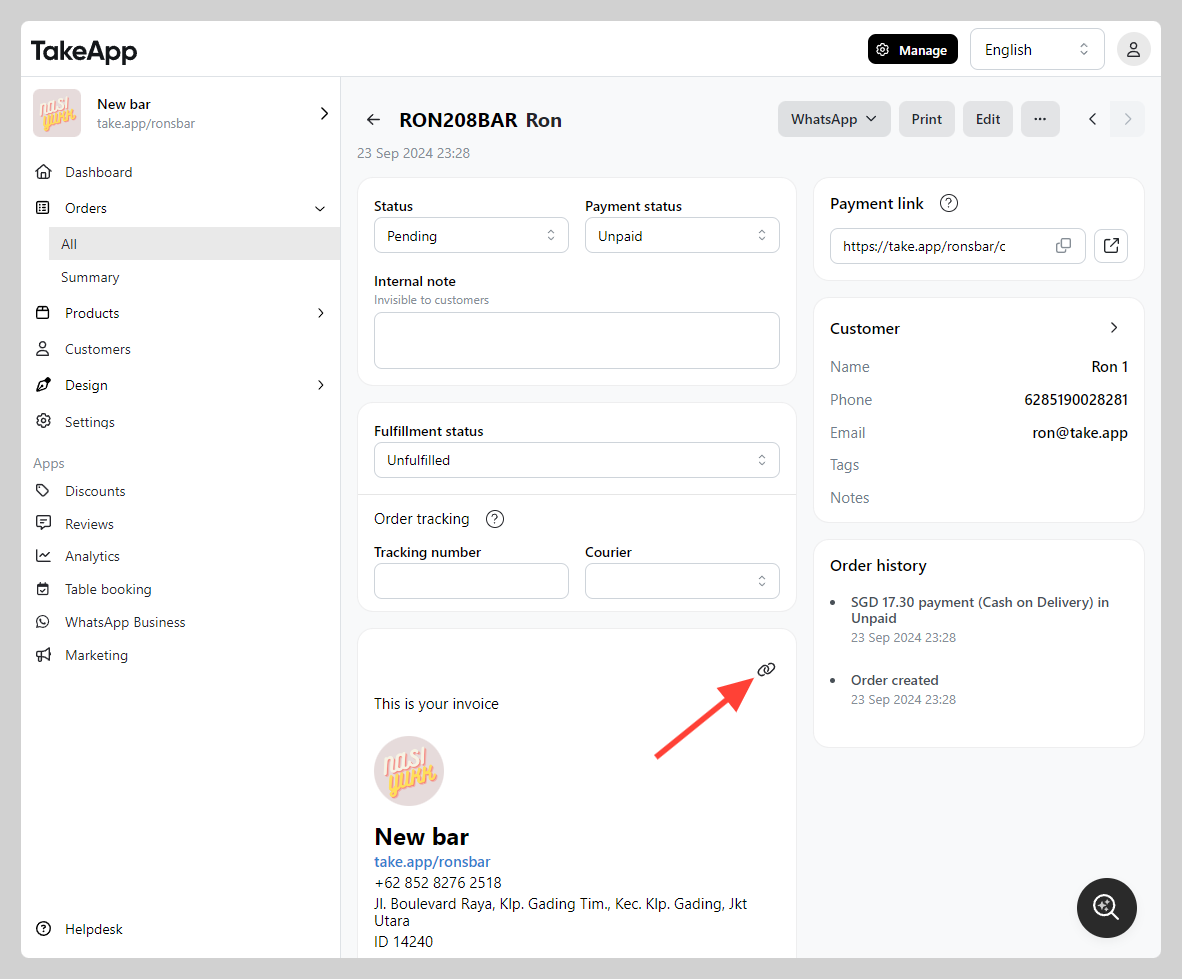
Click on the "Link button" at the invoice section (top right corner)
-
Copy the invoice link from the URL bar