
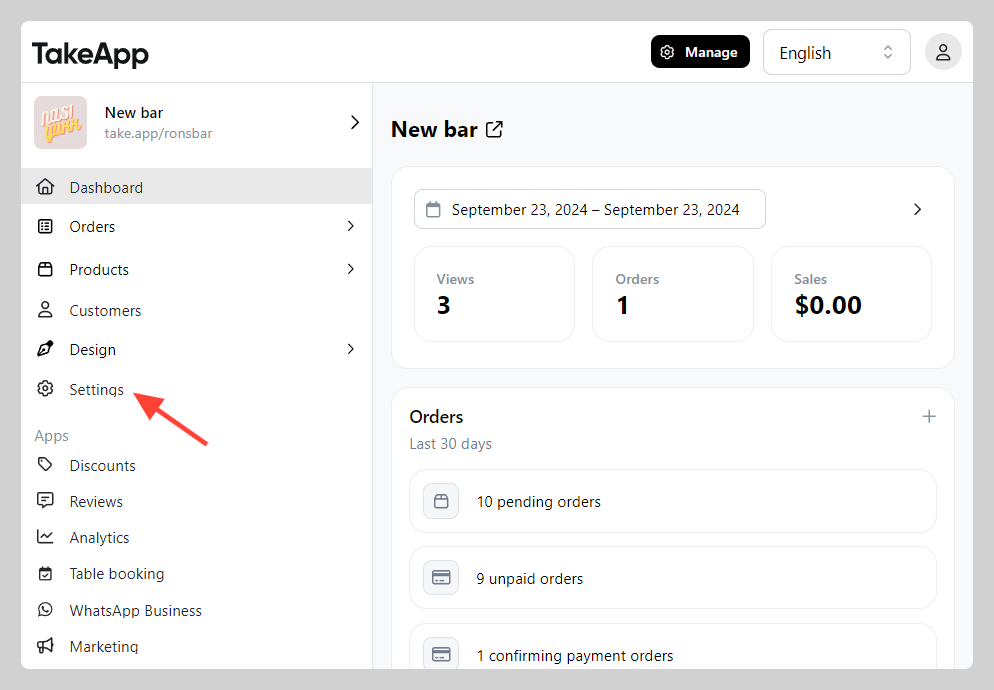
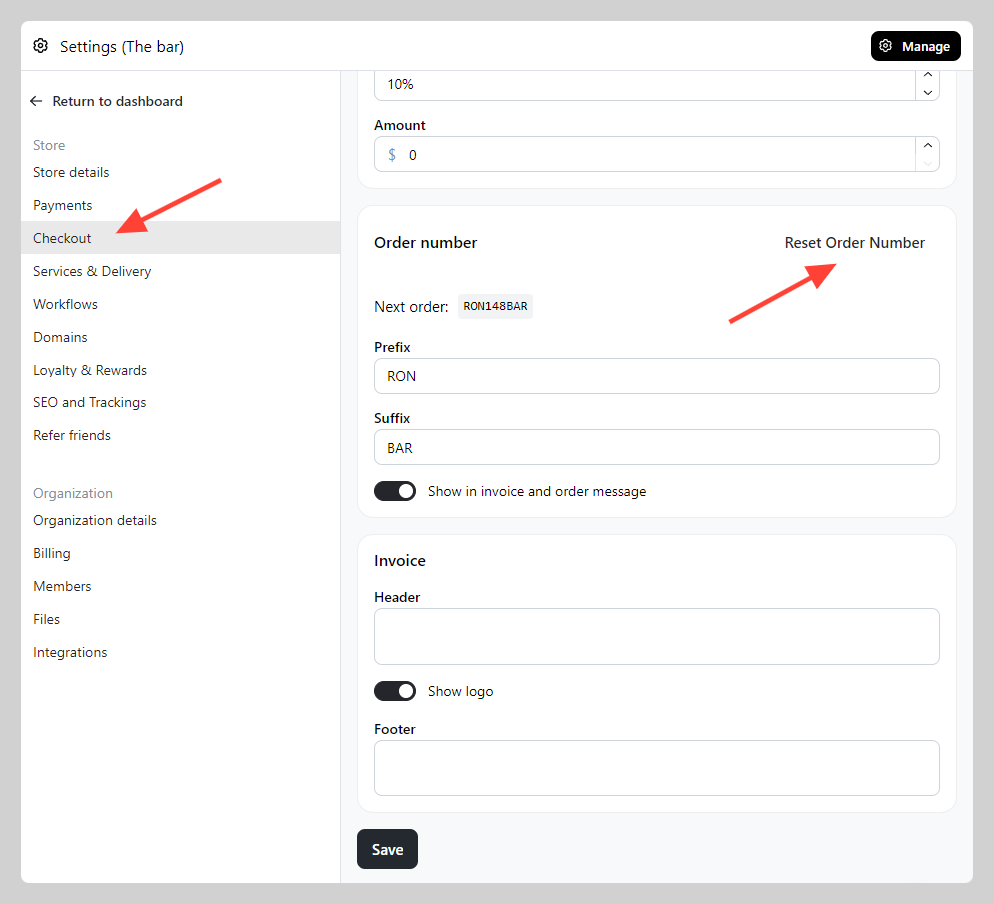
Every purchase gets a unique order number so you can track it through fulfillment. Both the format and the counter are set in Admin > Settings > Checkout, under the "Order number" section.
Change the order number format
-
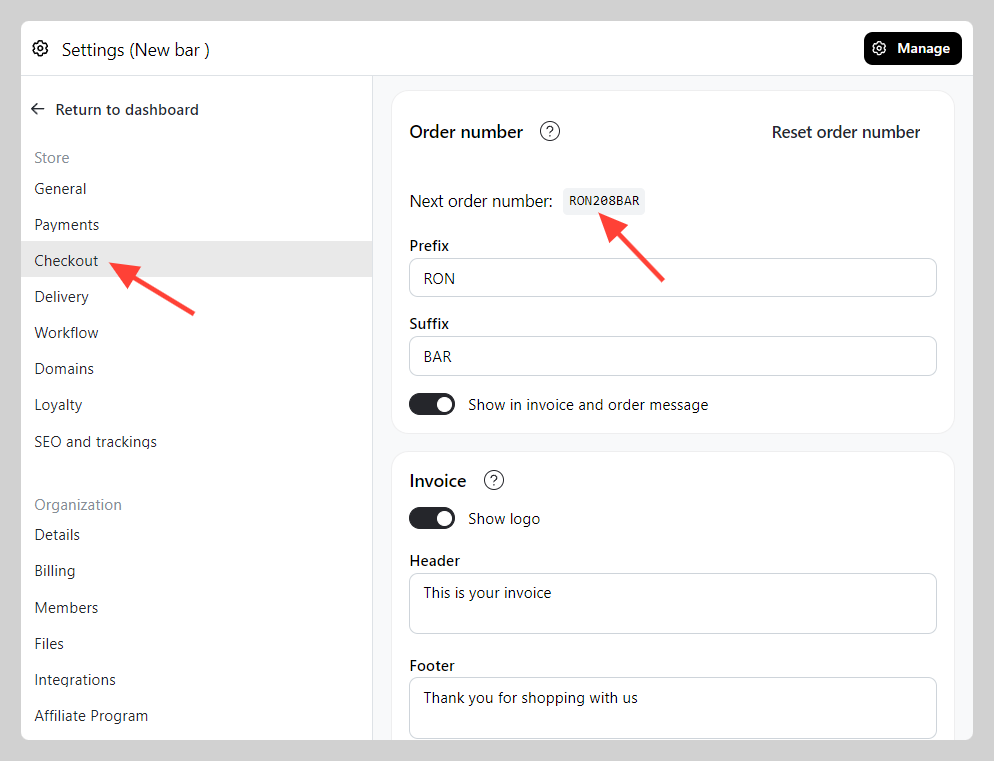
Go to Admin > Settings > Checkout and find the "Order number" section.
-
Add a prefix and suffix to customise the format.
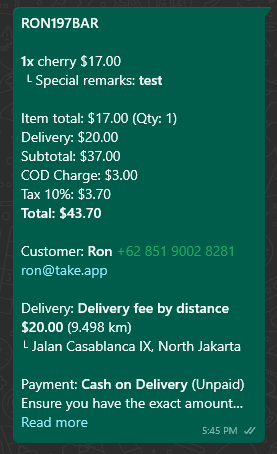
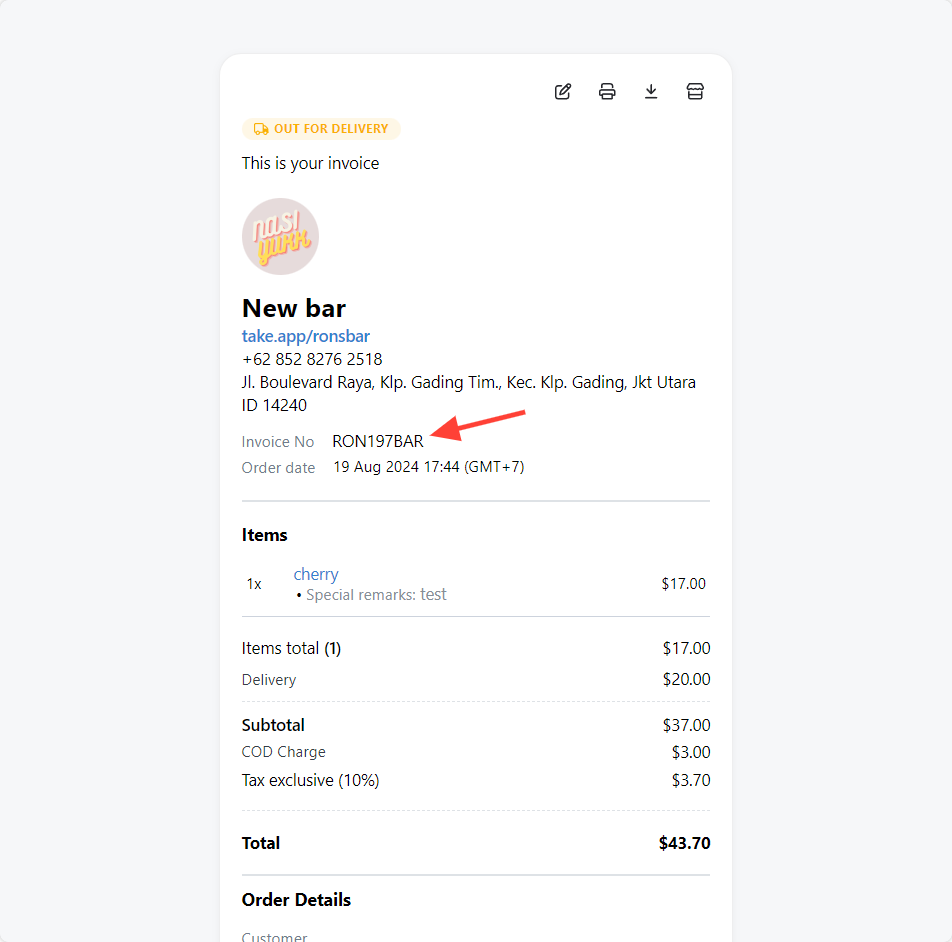
The order number appears on the invoice and in the order message.
Reset the counter
- Go to Admin > Settings > Checkout and find the "Order number" section.
- Click
Reset order number, then clickSave. The counter goes back to 0.
Invoice numbers are separate from order numbers — see How can I manage invoice numbers in Take App?.