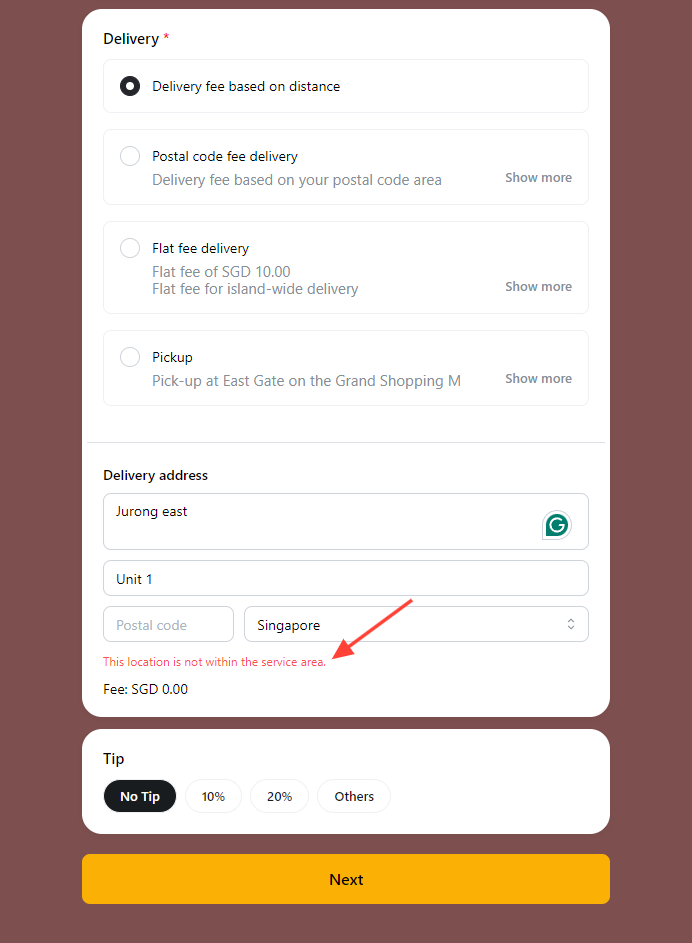
You can limit the delivery radius by implementing a delivery distance limit, such as not offering delivery beyond a specified radius (e.g., over 10 kilometers).
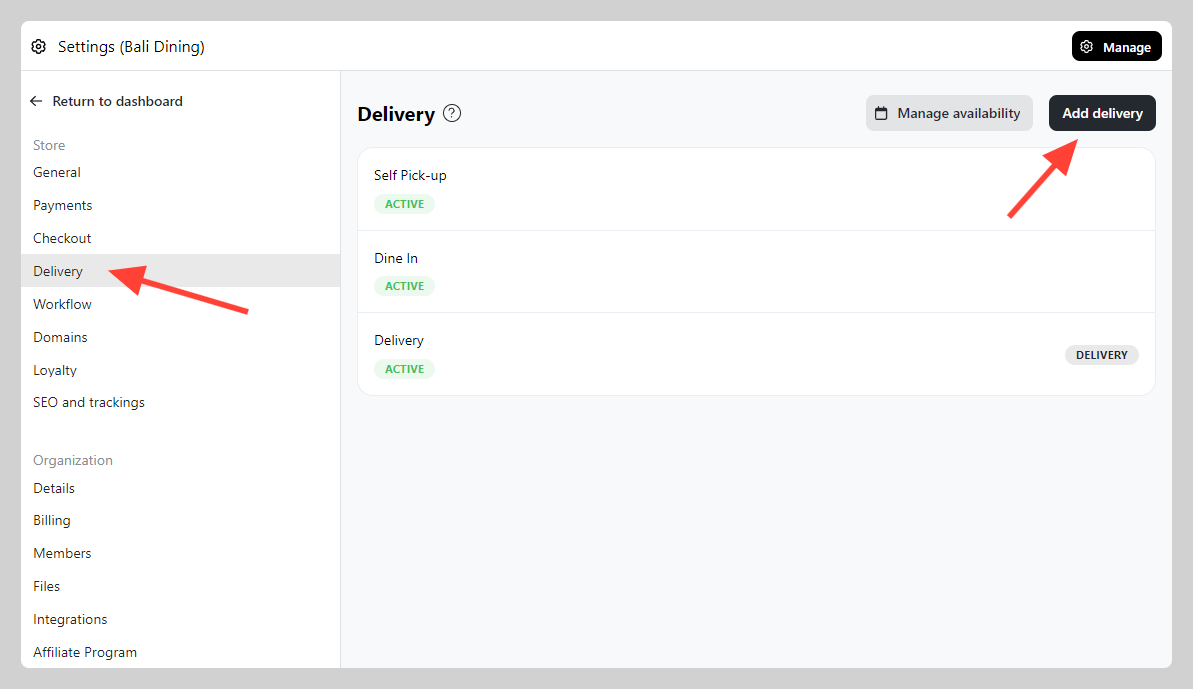
1. Go to Admin > Settings > Delivery and click Add delivery
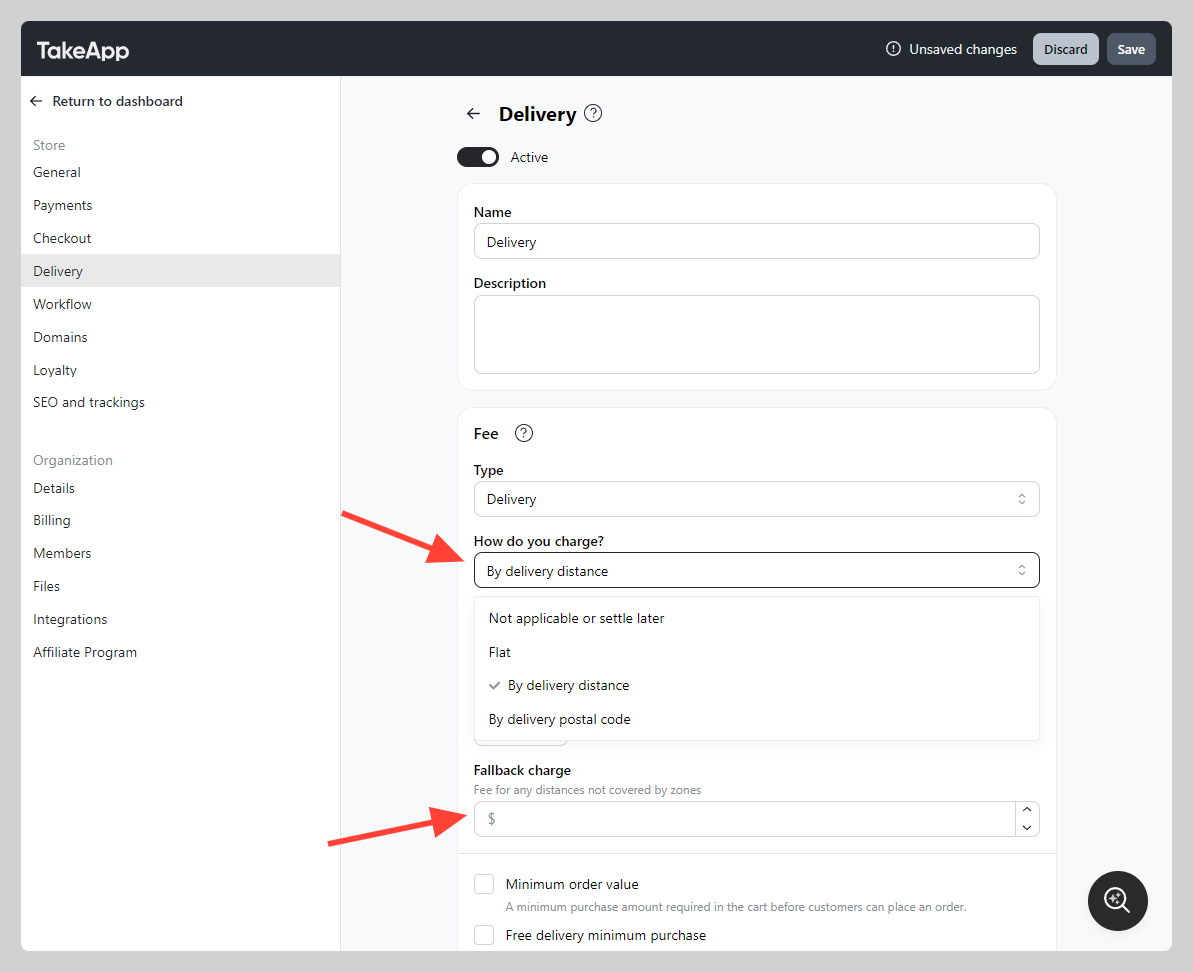
2. Set "How do you charge" to By delivery distance
3. After all detail and zones has been correctly setup, make sure to leave the fall back charge field blank.
4. On the checkout page, if the delivery address falls outside of the designated zones (beyond the specified radius), an alert will be displayed to the user, preventing them from proceeding further.