
There are two badges you can earn, and they build on each other:
- the Take App verified badge, shown on your store
- the Official Business Account (OBA) blue checkmark, shown next to your number in WhatsApp
Both require the Business plan and WhatsApp Business API integration.
The Take App verified badge
To gain your customers' trust, you can show a verified badge for your store on Take App.
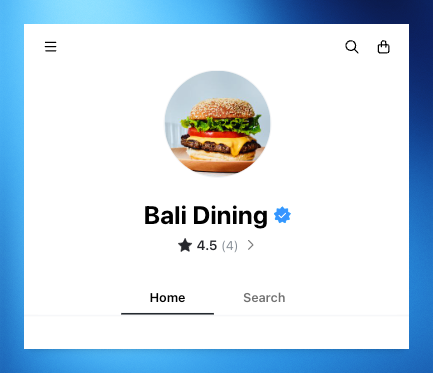
To display this verified badge, you will need
- Business Plan subscription
- WhatsApp Business API integration
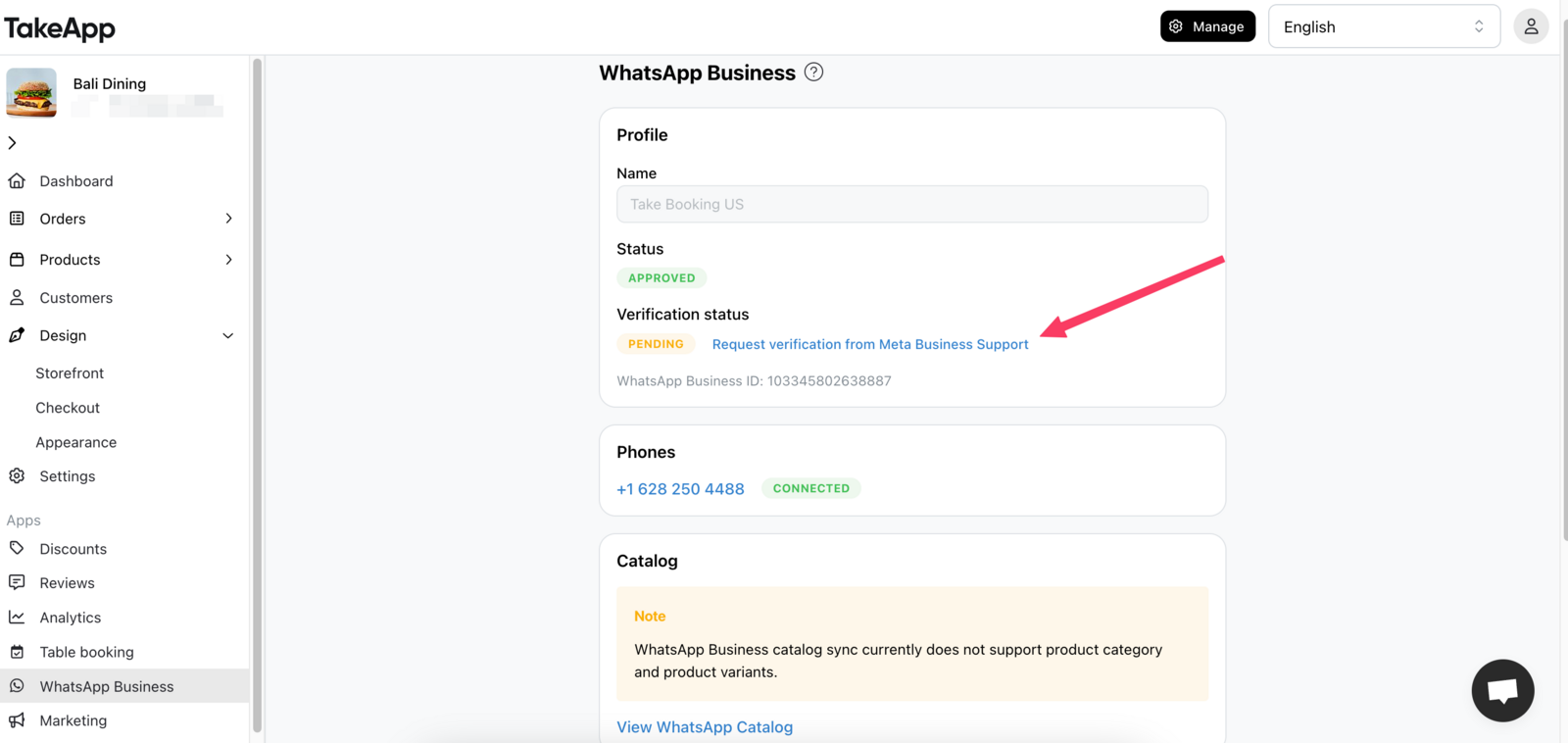
- Your business verified by Meta
Click this button in the WhatsApp Business menu after WhatsApp Business Integration to request verification from Meta.
The Official WhatsApp blue checkmark (OBA)
Business Plan and WhatsApp Business Integration are required.
Please note that WhatsApp Business App phone numbers are not eligible.
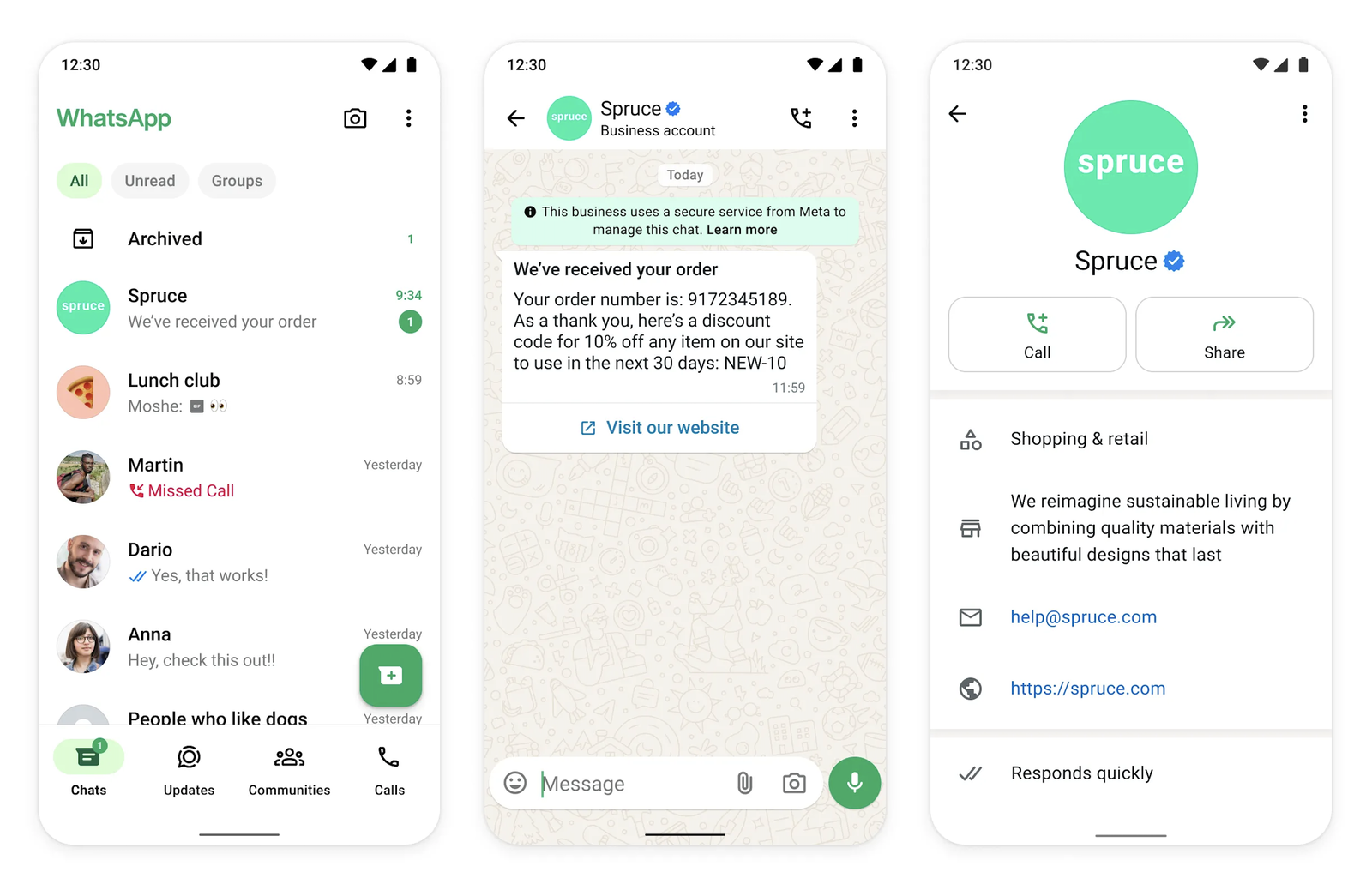
An Official Business Account (OBA) on WhatsApp is a verified business presence marked with a blue checkmark in the contacts view. It is granted to authentic, notable brands after a strict review process by Meta.
Take App allows you to easily submit a request for OBA status through your admin dashboard. Below is everything you need to know about eligibility, submission, and approval.
Pre-requisites
Before you can submit your application for OBA, the following must be completed:
- Business Verification: Your business must be verified through Meta Business Manager — the section above covers how.
- Approved Display Name: Your WhatsApp Business display name must be reviewed and approved by Meta.
- Two-Step Verification Enabled: The phone number you're applying with must have two-step verification turned on.
Apply for the blue checkmark
-
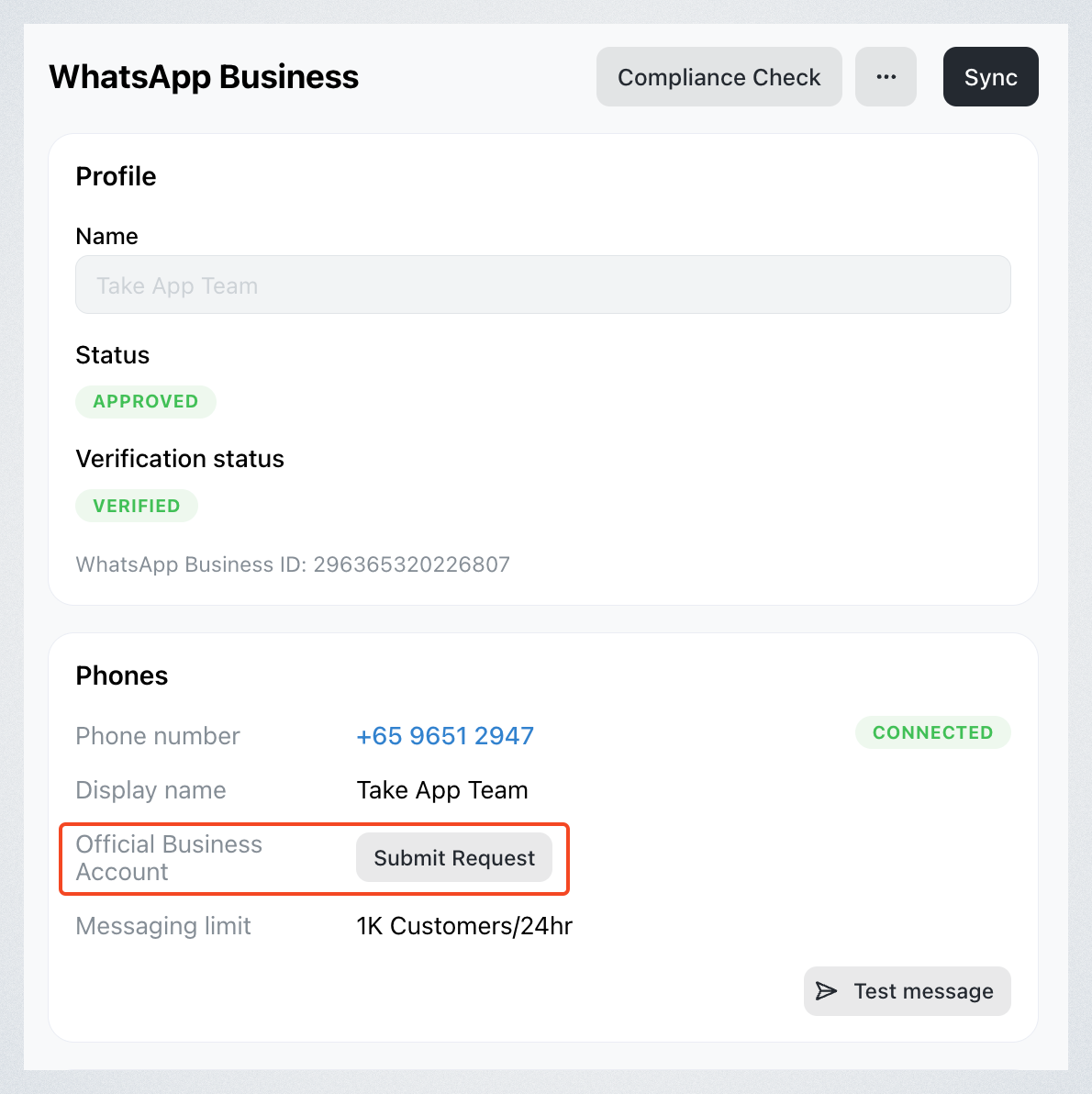
Go to Settings > WhatsApp Business.
-
Next to "Official Business Account", click "Submit request"
-
Complete the form with:
-
Your business website, primary country of operation, primary language (optional) and parent business or brand (optional)
-
Up to 5 supporting links from reputable publications (e.g. Reuters, India Today, Wall Street Journal, etc.)
-
Additional information that you think might help Meta prove your notability.
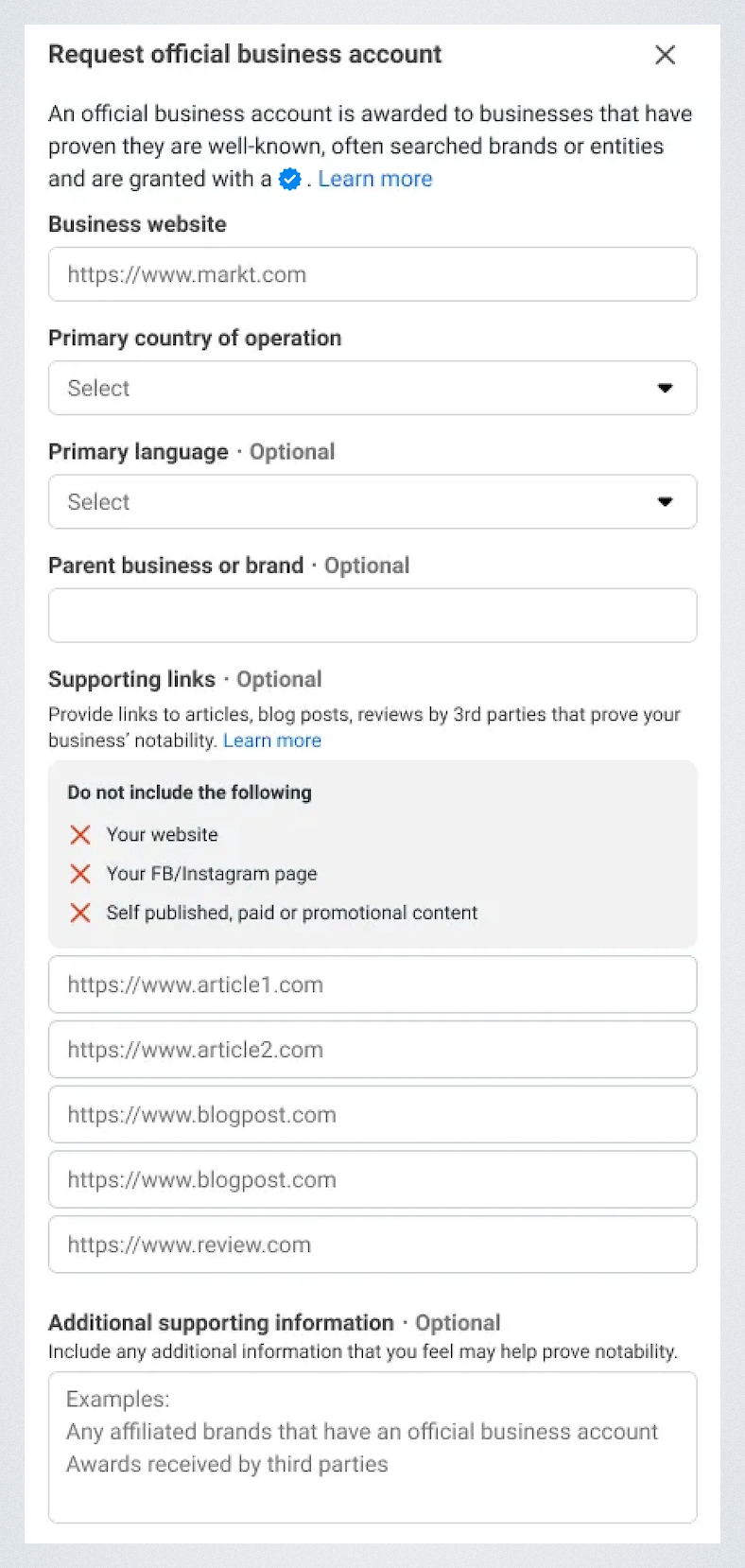
-
After submission, Meta will review your request and notify you of the result. If your request is denied, you can reapply after 30 days.
Eligibility criteria
Once the pre-requisites are met, your request will be evaluated based on the following criteria:
- Business Type
- Only numbers owned by the business are eligible.
- Ineligible: test accounts, employee numbers, and WhatsApp Business App phone numbers.
- Notability
- Your business must be well-known and frequently searched. Meta determines this based on:
- Coverage in independent, reputable media outlets
- Presence in non-paid articles (e.g., news articles from Economic Times, Reuters, Business Insider)
- Promotional or paid content is not considered
- Your business must be well-known and frequently searched. Meta determines this based on:
- Display Name and Phone Number Pairing
- OBA status is assessed per phone number and its associated display name.
- If the display name is changed later, notability will be reassessed.
Note: OBA approval is selective and not guaranteed, especially for newer or less-publicized brands. To improve your chances, include strong media references and ensure your business information is complete and accurate.