
You can create an automated discount that applies to all products.
How to create an automatic discount
-
Go to Admin > Discounts and click
Create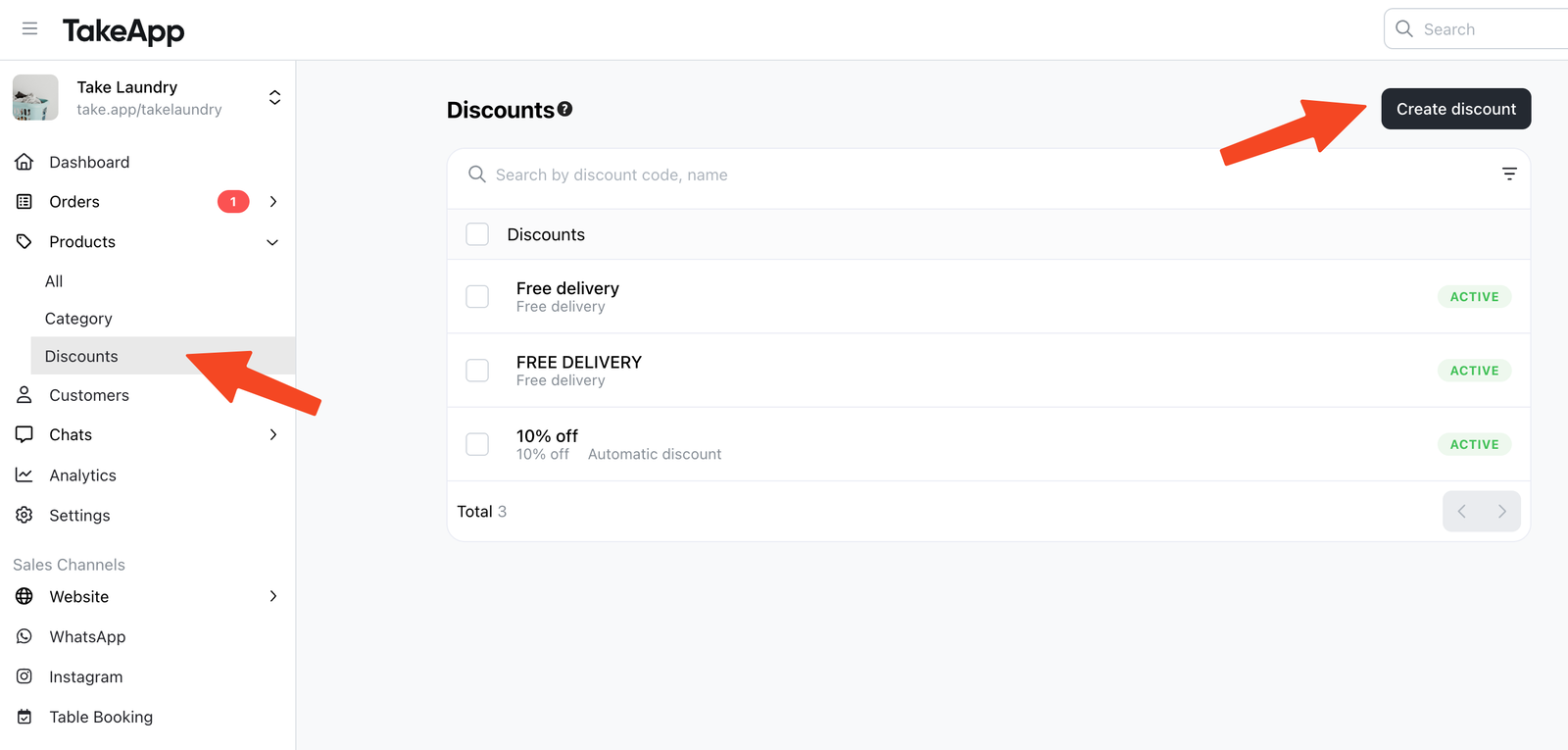
-
Choose
Automatic discount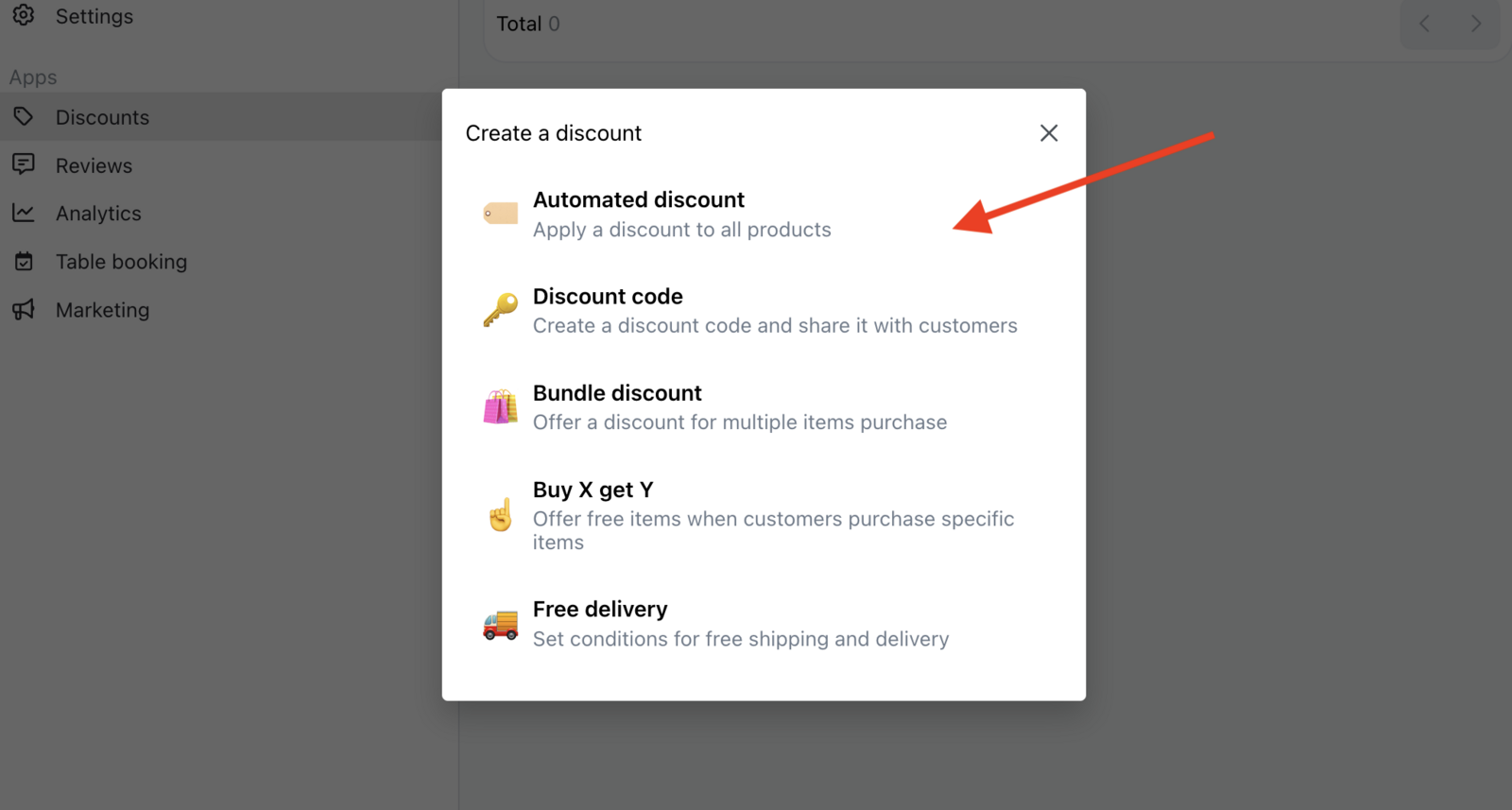
-
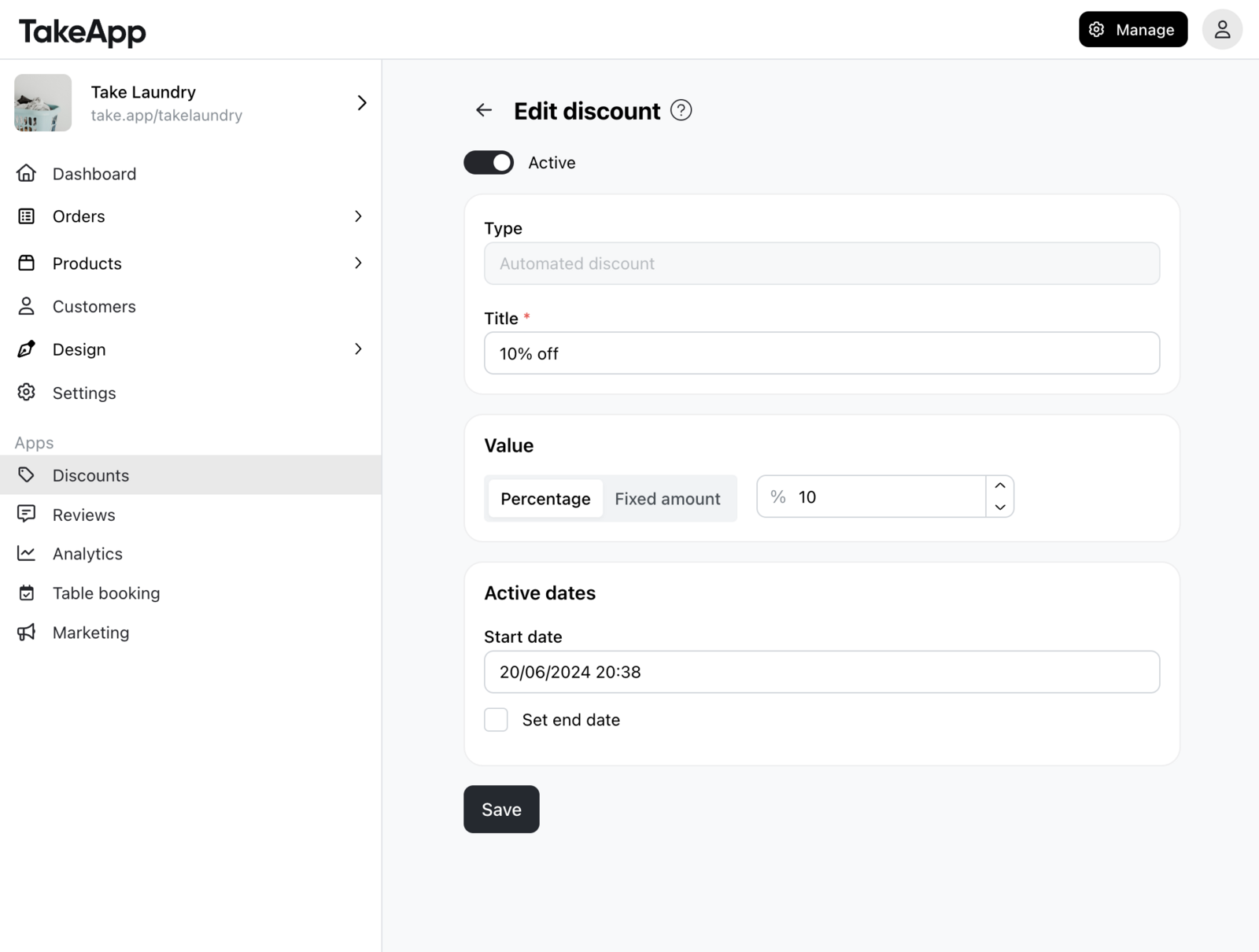
Set your discount parameters:
- Discount Value: Percentage or fixed amount discount rate
- Active dates: the starting and end date (if applicable)
-
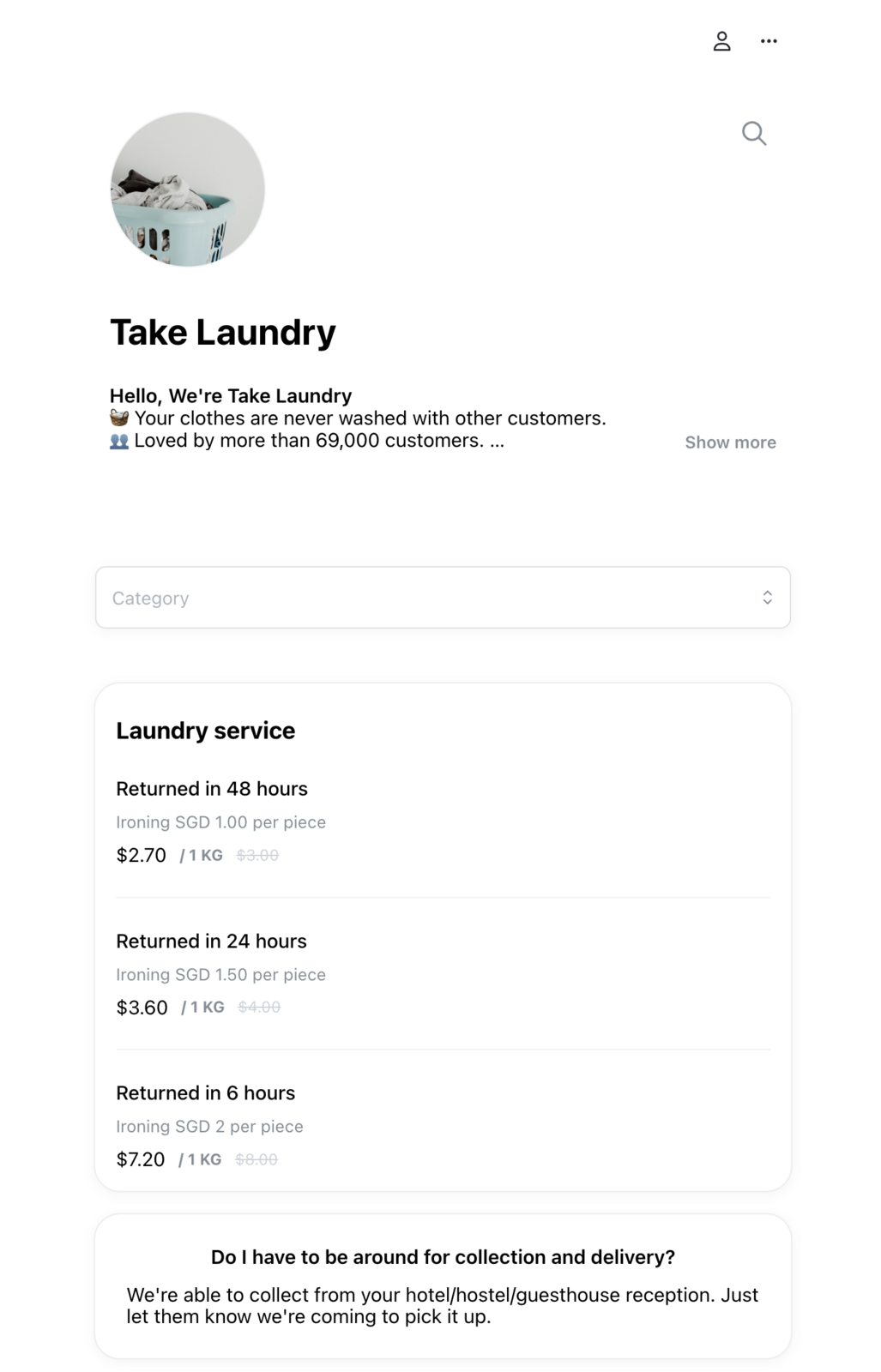
You can check that the automatic discount applies to all products.
You can have only one active automatic discount in your store.